What Are Product Photo Editing Services? A Full Guide
A 2% conversion rate and a 4% conversion rate look like a small gap on paper. But consider a mid-size product catalog with $1 million in annual revenue: assuming steady monthly traffic and an average order value of roughly $50, a 2-percentage-point lift in conversion can translate to tens of thousands of dollars in additional monthly revenue, the exact figure depends on your session volume and AOV, but the directional math is significant. Professional product photo editing services exist to close that gap, and the market has matured to the point where you can get hand-edited, marketplace-ready images starting at $0.29 per image. The challenge isn’t finding a provider; it’s knowing what you’re buying, what to pay, how long it should take, and how to tell a reliable vendor from one that will cost you more in revisions than you saved on price.
This guide covers all of it: the service types, the 2026 pricing benchmarks, the technical specs that Amazon and Shopify actually enforce, and the specific questions you need to ask before handing over your catalog. By the end, you’ll have a framework to evaluate any vendor quote with confidence.
What product photo editing services actually cover
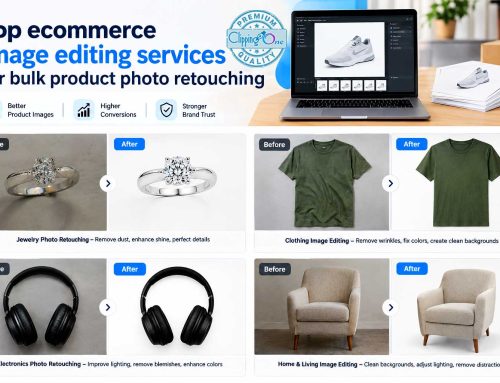
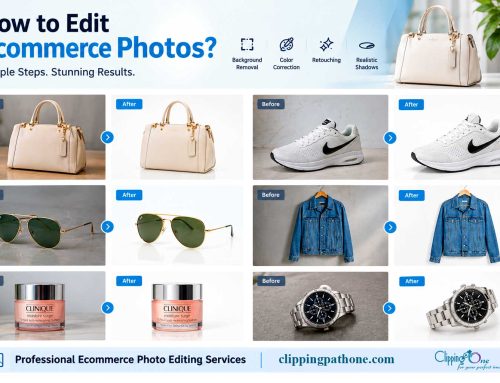
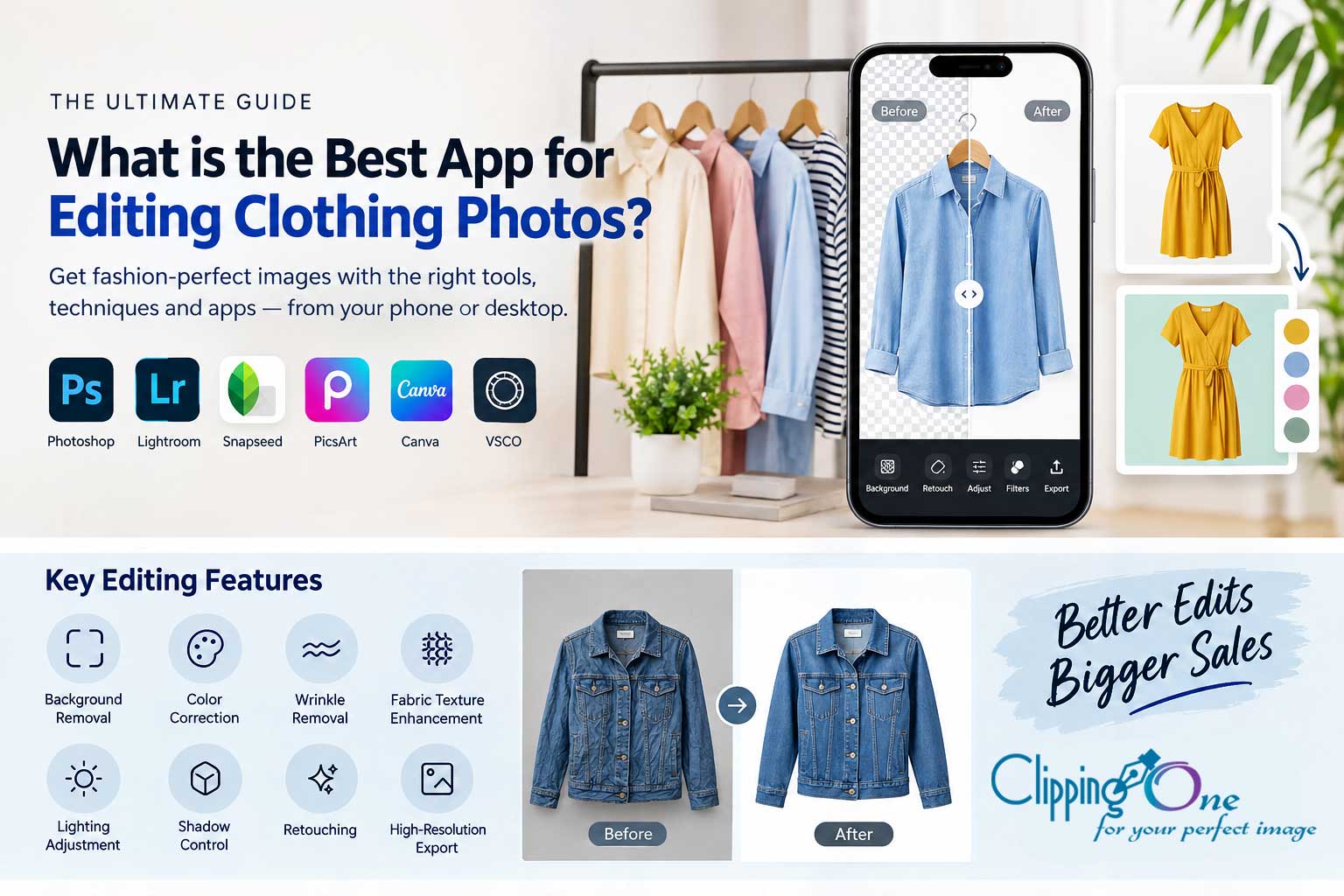
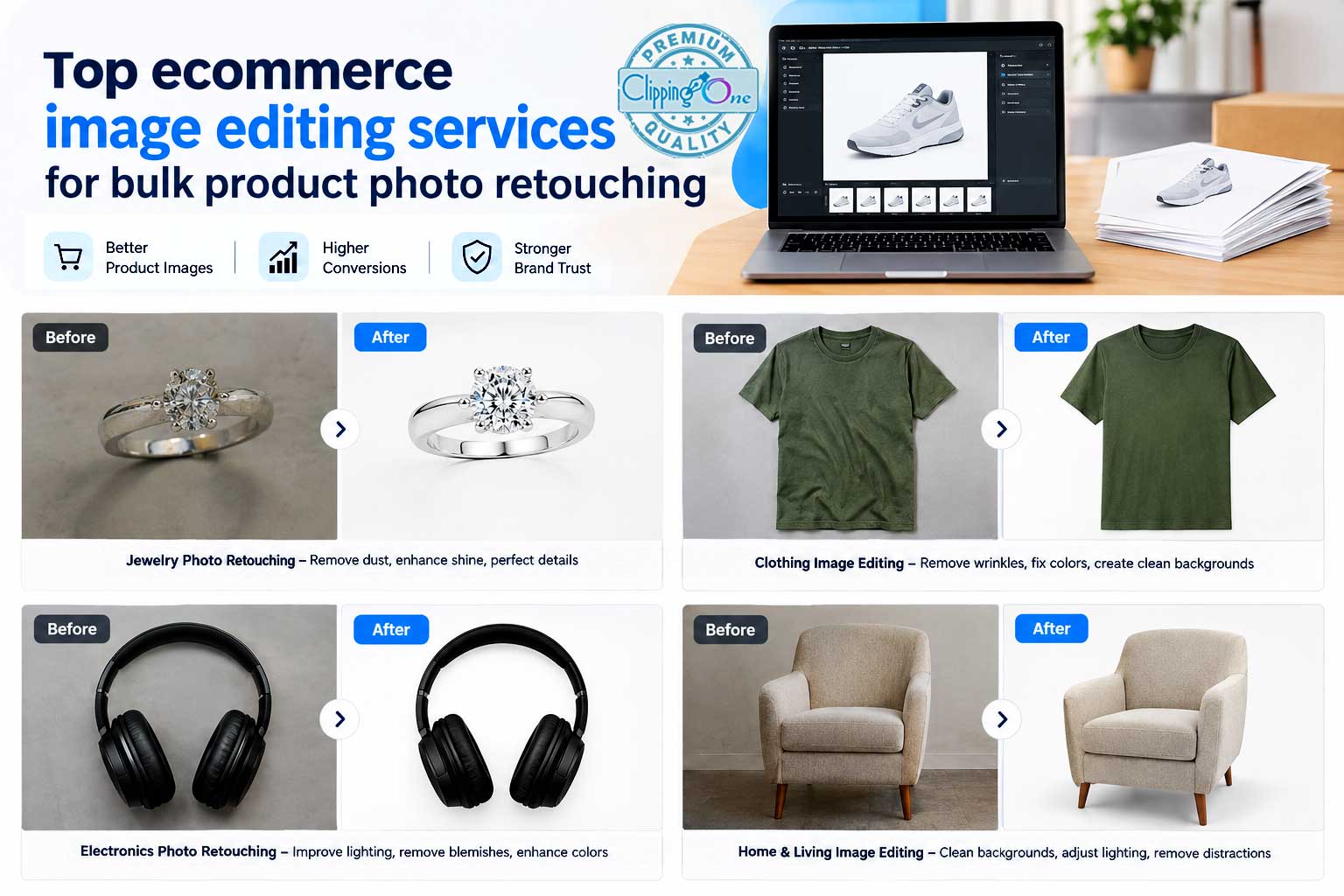
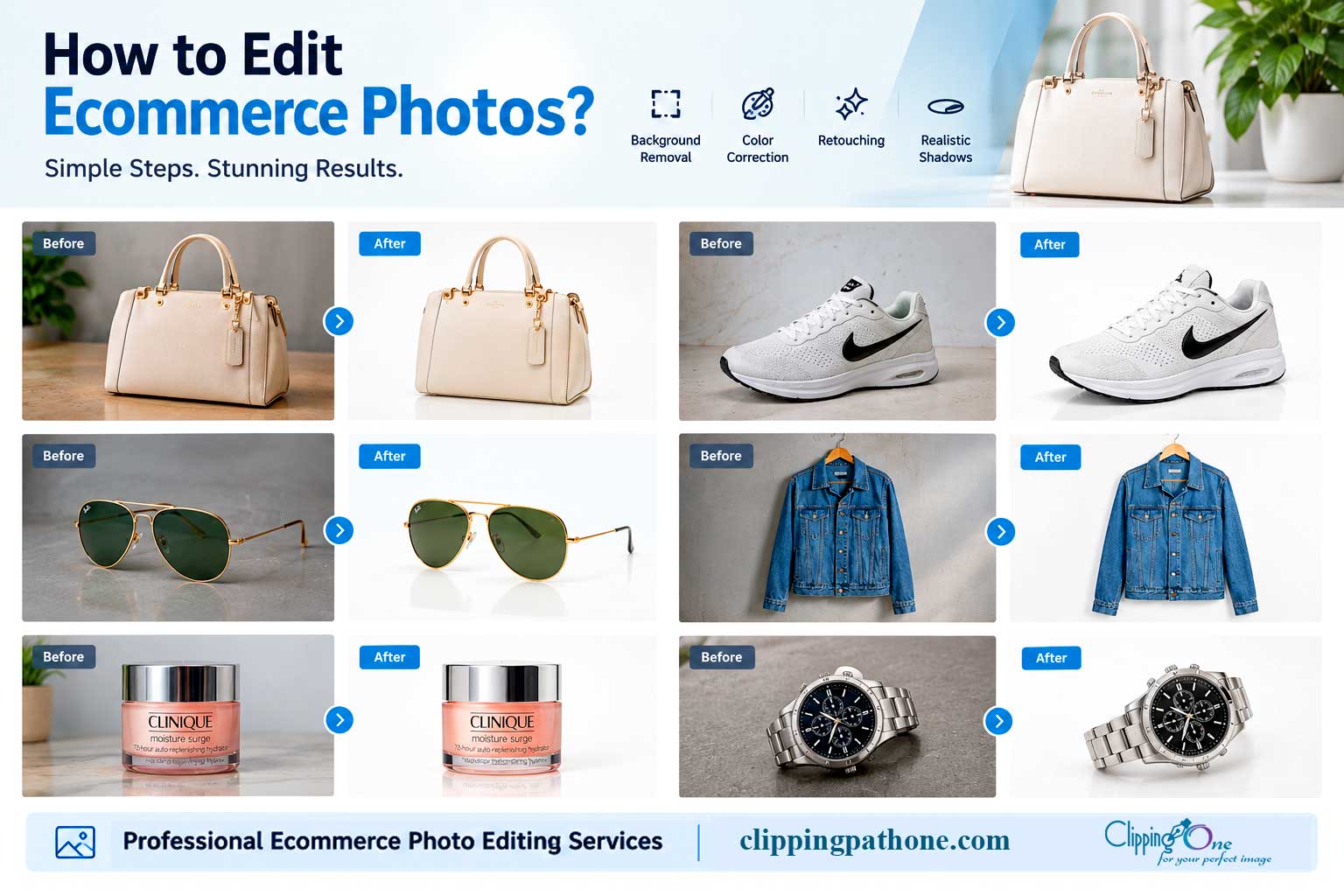
Product photo editing services are professional post-production workflows applied to raw product photographs to make them marketplace-compliant, visually consistent, and optimized for conversion. The work goes well beyond a brightness slider. The category spans everything from basic background removal services at under $0.50 per image to multi-layer composite editing that can run $4.00 or more, and that range in scope explains the range in pricing.
The primary users of these services share a common problem: volume, consistency, and platform compliance requirements make in-house editing impractical at scale. E-commerce sellers on Amazon and Shopify need hundreds or thousands of images formatted to exact technical specifications. Product photographers handling commercial shoots need post-production capacity without hiring a full-time editor. Fashion brands need every garment to look consistent across a catalog. Real estate teams need enhanced interior and exterior shots delivered fast enough to match listing timelines. Advertising agencies need catalog-scale editing delivered on campaign deadlines. The outsourced editing model exists because none of these groups have the time or internal capacity to handle it themselves.
The distinction between AI-automated tools and professional hand editing is worth understanding clearly, because it affects both what you pay and what you get. Automated background removal tools handle simple flat products adequately. They fail on complex edges: hair, fur, translucent fabrics, glass products, jewelry with intricate metalwork, and any object where the product edge blends with the background. Hand editing addresses exactly what automation misses. That’s why professional services still command a price premium over software subscriptions, and why the per-image cost for a complex jewelry cutout is not comparable to the per-image cost for a simple electronics accessory.
The main service types you’ll encounter
Background removal, clipping paths, and image masking are the three foundational techniques, choosing the wrong one for your product type is how poorly cut-out images happen. Background removal covers simple to moderate product shapes where the edges are relatively clean and the product contrasts well with the background. Clipping path services use vector paths drawn around hard-edged products with clean shapes: shoes, electronics, packaged goods, and rigid objects where the edge is precise. Image masking handles everything harder: hair, fur, translucent fabrics, and glass. It’s the technique for jewelry and smoke too, where the edge is complex and the product interacts with light in ways a vector path simply can’t capture accurately.
Specialized services that go beyond basic cutouts
Ghost mannequin editing, shadow creation, and color variant editing are high-value additions for brands selling apparel or complex product lines. Ghost mannequin editing removes the mannequin or model from apparel shots to create a floating three-dimensional garment look. It’s the standard presentation method for clothing sold online, and it requires careful multi-image compositing to show the interior collar and back of the garment cleanly. Shadow creation adds natural, drop, or reflection shadows to ground a product visually after the background has been removed, without it, products look like they’re floating. Color variant editing duplicates a base image across multiple colorways, so brands can show every color option without reshooting the same product repeatedly.
Retouching: where quality diverges most
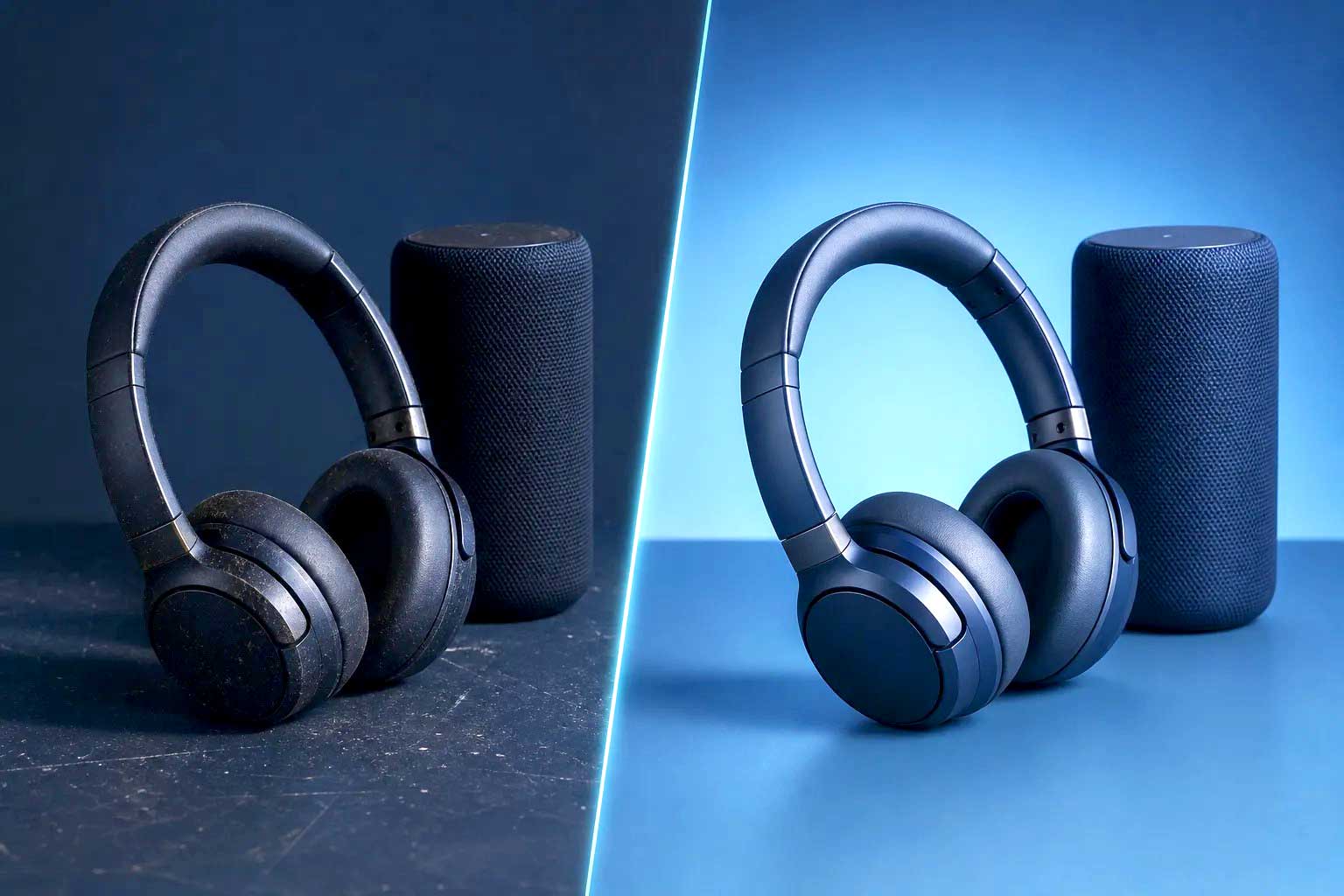
Image retouching is where quality diverges most between providers and where per-image costs climb the highest. Beyond basic cleanup, retouching includes surface blemish removal on products, shine control on reflective materials, dust and scratch removal on hard goods, and skin tone refinement on model shots. For jewelry specifically, high-end retouching involves enhancing stone brilliance, correcting metallic reflections, and removing imperfections at a level of detail that automated tools cannot approach. This is the service tier where the difference between a $1.00 image and a $4.00 image becomes visible.
Why image quality moves the needle on sales
The conversion data on professional product imagery is consistent and well-documented, though individual results vary by category, audience, and catalog size. Sellers who have shared before-and-after test data publicly report conversion lifts ranging from 14% to 23.7% from image improvements alone. In one documented A/B test on a single SKU, a hero image swap moved conversion from 4.1% to 8.3%. ASOS has reported 65% higher purchase completion rates when additional high-quality product views are added to a listing. These are measured outcomes from sellers who changed images and tracked what happened next, not theoretical projections.
The compound effect at catalog scale is where the math gets significant. A 20.8% conversion lift rolled across a catalog of 100 SKUs projects to an estimated $3.75 million in additional annual revenue in one documented example. Data from Shopify merchants also suggests that stores using professionally edited product photos convert at substantially higher rates than stores using unedited smartphone shots, some analyses put the gap at 33% to 34%. The point isn’t that every seller will see identical numbers; it’s that even modest, consistent improvements across a full catalog add up quickly. For a growing e-commerce brand, professional image editing isn’t an expense category. It’s a revenue lever with a measurable return.
Marketplace image requirements you can’t work around in 2026
Amazon’s technical specifications are the most clearly documented and the most consequential. JPEG is the preferred format, with PNG, TIFF, and non-animated GIF also accepted. Images must be at minimum 500 pixels on the longest side, with 1,000 pixels or more required to enable zoom functionality. The maximum is 10,000 pixels on the longest side. RGB is the preferred color mode, with sRGB recommended for accurate web display. Main product images require a pure white background with RGB values of exactly 255/255/255, and the product must occupy at least 85% of the frame. These aren’t suggestions: listings that fail image review get suppressed, which means no visibility and no sales until the issue is resolved.
Shopify accepts JPEG, PNG, GIF, and WebP. It doesn’t enforce a single mandatory pixel minimum, but practically, images need to be large enough for responsive display and zoom across devices. sRGB is the safest color profile for consistent rendering. Walmart requires clean, high-quality white-background main images and follows standard web-format norms for uploads, though its requirements aren’t as publicly detailed as Amazon’s. That gap in documentation makes working with a vendor who already knows the platform particularly valuable, because they’ve handled the ambiguity before you have to.
Compliance matters beyond the first upload. Non-compliant images get removed after the fact, listings get suppressed during active sales periods, and ad eligibility can be affected by image quality flags. Editors who understand these platform requirements deliver images formatted for direct upload, no manual resizing, format conversion, or color profile correction on your end. That operational efficiency is a legitimate value-add when evaluating vendors, not just a nice-to-have feature on a pitch deck.
Product photo editing services: 2026 pricing benchmarks by edit type
Several variables push pricing in either direction, so it helps to understand the market ranges before reading a quote. Image complexity is the biggest driver: hard-edged products on simple backgrounds cost less than jewelry, glassware, or hair-inclusive apparel shots. The number of output files also matters, if you need multiple formats, resolutions, or color profiles per image, the per-image cost reflects that. Volume is the primary lever for keeping costs down, while rush turnaround requests push them up, sometimes significantly.
- Background removal services: $0.29 to $1.50 per image (simple products at the low end, complex cutouts higher)
- Color correction: $0.50 to $1.50 per image for standard ecommerce photo editing
- Product retouching services: $1.00 to $4.00 per image depending on complexity
- Ghost mannequin editing: $0.89 to $2.50 per image
These are market-rate ranges for professional hand editing, not AI-automated processing. Clipping Path One prices basic clipping path and background removal work from $0.29 per image, which gives a real-world anchor for what the professional floor looks like in 2026.
Three billing structures dominate the market. Per-image pricing is the most transparent and predictable, making it the right fit for variable-volume sellers who don’t want to pay a monthly fee during slow periods. Monthly subscriptions suit high-volume sellers with steady, predictable throughput who benefit from flat-rate planning. Retainer agreements suit agencies and brands running continuous catalog production where volume is guaranteed and the vendor can staff accordingly. For most growing e-commerce brands, per-image pricing with volume discount tiers offers the best flexibility without locking you into minimum commitments before you’ve validated the vendor relationship.
Turnaround expectations and what availability actually means
Delivery timelines matter just as much as price, a quote means nothing if the images arrive too late for your launch window. Most professional product photo editing services advertise a 24- to 72-hour standard turnaround for bulk orders, with some vendors specifying a tighter 24- to 48-hour window. Rush or priority queues typically deliver within 12 to 24 hours at an added cost. Express single-image requests can often come back in a few hours. These are reasonable benchmarks, not guarantees. Actual delivery depends on queue volume, image complexity, and how clearly the editing brief is communicated. A vague brief with inconsistent reference images adds time because the editor has to make judgment calls or request clarification.
Round-the-clock availability changes your production calendar in practical ways. When a provider operates 24/7, you can send a batch at midnight after a day shoot and receive edited images before your morning review session. For US-based sellers working with overseas editing teams, time zone differences either create gaps in production or, when managed well, create continuous workflows that compress the time between shoot and publish. That compression matters most during peak seasons, product launches, and promotional campaigns where listing speed is a competitive advantage.
Before committing to any vendor for bulk work, test them with 10 to 20 images. Check whether delivery hits the promised window, and check whether the images require revision or are ready to use as delivered. Some professional vendors advertise quote turnarounds within one hour, confirm the specific SLA with whoever you’re evaluating. This small test surfaces both quality and reliability before you’ve committed a full catalog batch. How a vendor handles a trial order tells you exactly how they’ll handle your ongoing work.
How to evaluate and vet any product photo editing service
When edited images come back, run a practical quality check before approving the batch. Zoom to 100% and inspect edge cleanliness: look for halos around product edges, jagged paths, missed areas where the background bleeds through, or clumped pixels on complex edges like hair or fabric fringe. Check color accuracy against the original product. For white-background product photos, verify background purity: it should be 255/255/255 RGB, not an off-white that will look gray against a true white page. Check shadow consistency across the batch, and verify that file formats and resolutions match the target platform’s requirements. A reliable vendor’s work passes these checks on the first delivery. Frequent revisions are a signal that the vendor’s quality control isn’t catching problems before they reach you.
Contract questions to ask before committing at volume
Before signing on with any vendor for high-volume work, get answers to these specific questions. How many revision rounds are included at no charge, and what qualifies as a revision versus a scope change? What is the revision request window? For reference, Clipping Path One’s published policy treats images as accepted after 7 days with no further revision obligation, know what your vendor’s policy is before you hit that window. Is there a turnaround SLA with any remedy for missed delivery? How long are your product files retained after delivery, and what data security practices protect files while they’re on the vendor’s systems? These aren’t bureaucratic questions. They protect you when something goes wrong on a 500-image batch during a peak sales period.
Warning signs a vendor isn’t the right fit
The warning signs of a vendor that isn’t a fit are consistent. No sample portfolio or trial order option is a red flag: a professional service has work to show. Pricing that seems too low even for AI-automated output suggests the vendor is either cutting corners or misrepresenting the type of editing being done. Vague turnaround commitments without any SLA language mean delivery is on their schedule, not yours. Revision policies that cap edits at one round regardless of quality put the revision risk on you instead of the vendor. A professional editing partner treats your catalog as a production workflow, not a one-off job, and the way they talk about process reflects that from the first conversation.
What a full-service, affordable editing partner looks like in practice
Using a single provider for the full range of edits creates real operational efficiency. Managing one vendor relationship instead of multiple freelancers or specialized shops reduces briefing overhead, keeps quality consistent across service types, and simplifies invoicing and delivery coordination. When your background removal vendor, your retouching vendor, and your ghost mannequin vendor are all separate, you’re managing three different teams with three different quality standards and three different delivery schedules. Consolidating everything with one provider that covers the full post-production range compounds into significant time savings over a catalog production season.
Clipping Path One is built around exactly this model: professional hand editing across the full post-production range, from basic clipping path services and background removal at $0.29 per image to ghost mannequin editing, color variants, shadow creation, retouching, and marketplace compliance formatting. The service is staffed around the clock, and billing follows a pay-after-satisfaction model, clients review delivered images before payment is processed. That combination of pricing, availability, and risk reversal represents a reasonable standard to hold any vendor to when evaluating your options. If a vendor can’t match it, understand specifically what you’re trading off and why.
The pay-after-satisfaction model deserves specific attention because it signals quality confidence in a way that upfront payment structures don’t. A vendor willing to deliver before collecting payment is confident their output will pass your review. For buyers, it eliminates the risk of paying for work that comes back requiring significant revision. Not every vendor offers this structure, which makes it a useful differentiator when two providers seem otherwise comparable on price and turnaround. When comparing quotes for a large catalog batch, ask directly: do you bill after delivery and approval, or upfront? The answer tells you something about how much confidence the vendor has in their first-pass quality.
Choosing the right provider starts with the right questions
Product photo editing services cover a wide range, from simple background removal at $0.29 per image to high-end retouching at $4.00 or more, and the right provider depends on your product type, volume, target marketplace, and budget. The benchmarks in this guide give you a realistic framework to evaluate any quote you receive. The quality checklist gives you a way to assess delivered work objectively. The contract questions give you a way to protect your catalog before you’re locked into a vendor relationship at volume.
Here’s what the right vendor profile looks like: hand editing across all service types, a trial order option before bulk commitment, transparent revision terms with a clear window and scope definition, around-the-clock availability, and a pay-after-approval billing structure. That’s the standard Clipping Path One is built around, and it’s a reasonable bar to set for any vendor you consider. If you want to see how the process works before committing, reach out to the team and request a trial order. The output stands on its own, run it through the quality checklist above and decide from there.
FAQ’s:
What are product photo editing services?
Product photo editing services are professional post-production workflows applied to raw product photographs to make them marketplace-compliant, visually consistent, and optimized for conversion. They include tasks from simple background removal to complex multi-layer compositing and are designed to prepare images for e-commerce platforms and advertising.
How can better product photo editing affect my sales?
Small improvements in conversion rate scale quickly — the article gives an example where a 2-percentage-point lift for a mid-size catalog with $1 million in annual revenue and an average order value of about $50 can translate to tens of thousands of additional monthly revenue. Better images reduce friction, improve trust, and help listings meet platform expectations, which together drive higher conversion.
What are typical 2026 price benchmarks for product photo editing?
In 2026 the market ranges widely by complexity: marketplace-ready hand-edited images start around $0.29 per image, basic background removal can be under $0.50, while multi-layer composite editing can cost $4.00 or more per image. The per-image cost depends on the technique required and the product’s edge complexity.
When should I use automated tools versus hand editing?
Automated background-removal tools work well for simple, flat products with clean edges, but they fail on complex edges like hair, fur, translucent fabrics, glass, and detailed jewelry. Hand editing addresses those difficult cases and therefore commands a price premium and delivers higher-quality, marketplace-ready results.
What are the main editing techniques and which products need each?
Background removal handles simple to moderate shapes where the product contrasts with the background; clipping paths use vector paths for hard-edged items like shoes, electronics, and rigid packaged goods; image masking is for complex edges such as hair, fur, translucent fabrics, glass, and intricate jewelry. Choosing the wrong technique is a common cause of poorly cut-out images.
Who typically outsources product photo editing and why?
E-commerce sellers on Amazon and Shopify, product photographers, fashion brands, real estate teams, and advertising agencies commonly outsource because they need volume, consistency, and platform-compliant files that in-house teams often can’t deliver at scale. Outsourcing provides capacity for catalog-scale editing without hiring full-time staff.
What should I ask a vendor before handing over my catalog?
Ask for turnaround times, per-image pricing broken down by complexity, whether edits are hand-done or automated, sample edits for your product types, and their revision policy. Also confirm they deliver marketplace-compliant files and follow Amazon and Shopify technical requirements so you avoid costly rework.