
How to Edit Ecommerce Photos? A Complete Guide to Professional Product Image Editing
If you sell products online, you already know that product photography is one of the most important parts of your ecommerce store. Customers cannot physically touch, hold, or inspect your products before placing an order, so your product images have to communicate quality, appearance, size, color, texture, and details clearly.
But taking a good product photograph is only the first step.
Raw product photos often contain distracting backgrounds, uneven lighting, unwanted reflections, dust, scratches, wrinkles, color inconsistencies, camera imperfections, and other visual problems. Even a professionally photographed product may need additional editing before it is ready for an ecommerce website, marketplace, catalog, social media campaign, or online advertisement.
That is where ecommerce photo editing comes in.
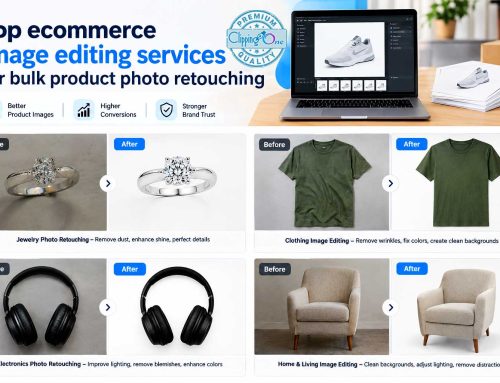
Professional ecommerce photo editing transforms raw product photographs into clean, consistent, attractive, and publication-ready images. Depending on the product and the platform, editing can include background removal, clipping paths, image masking, color correction, shadow creation, product retouching, cropping, resizing, ghost mannequin editing, reflection correction, and other post-production techniques.
If you are wondering how to edit ecommerce photos, this guide explains the complete process, from preparing the original image to exporting the final file.
It also explains which editing techniques are most useful for different types of products, how to maintain consistency across a large catalog, what ecommerce platforms expect from product images, and when outsourcing ecommerce photo editing makes more sense than handling everything internally.
What Is Ecommerce Photo Editing?
Ecommerce photo editing is the process of modifying and improving product photographs so they are suitable for online stores, ecommerce marketplaces, catalogs, advertisements, and other digital shopping environments.
The objective is not simply to make a photograph look attractive.
A good ecommerce image should present the product accurately while maintaining a consistent visual appearance across the entire store.
Typical ecommerce image editing may include:
- Background removal
- Background replacement
- Clipping path creation
- Image masking
- Color correction
- Product retouching
- Dust and scratch removal
- Wrinkle removal
- Shadow creation
- Reflection correction
- Cropping
- Resizing
- Image alignment
- Brightness and contrast correction
- Exposure correction
- Ghost mannequin editing
- Product color changes
- Image compositing
- Reflection shadow creation
- Image sharpening
- Web optimization
The exact workflow depends on the product.
For example, editing a pair of sunglasses is different from editing a diamond necklace. A clothing image may require ghost mannequin editing, while furniture may need perspective correction and realistic shadow creation.
This is why ecommerce photo editing is better approached as a structured post-production workflow rather than a single Photoshop adjustment.
Why Do Ecommerce Photos Need Editing?
Online shoppers depend heavily on product images when evaluating an item.
When someone visits a physical store, they can pick up the product, examine its surface, check its color, and view it from different angles. Online shoppers do not have those options. They depend on the information presented on the product page.
That makes visual presentation especially important.
Google Merchant Center describes the primary product image as one of the first things potential customers see and recommends clear, high-quality product images. Google also recommends additional images to show products from different angles or with staging elements.
Professional editing can help you:
Create a consistent catalog
Imagine visiting an online fashion store where one product has a pure white background, another has a gray background, another has visible studio equipment, and another has a yellow color cast.
The store may have excellent products, but the inconsistent photography makes the catalog look unprofessional.
Editing allows businesses to create consistent:
- Backgrounds
- Product sizes
- Cropping
- Lighting
- Colors
- Shadows
- Margins
- Image dimensions
Make products easier to inspect
A product photograph should make important details easy to see.
Retouching can remove distractions while preserving important product characteristics.
Improve visual merchandising
Online stores use product imagery as a form of digital merchandising.
A professionally edited image can make a product appear organized, polished, and ready for purchase without changing what the product actually is.
Prepare images for different platforms
A single product photograph may be used on:
- Shopify
- WooCommerce
- Amazon
- eBay
- Google Shopping
- Walmart Marketplace
- Etsy
- Fashion websites
- Social media
- Email campaigns
- Digital catalogs
- Paid advertising
Each environment may have different display requirements and image specifications.
Shopify, for example, supports several image formats and states that product images can be up to 5000 × 5000 pixels or 25 megapixels, with a file size below 20 MB. Shopify also notes that high-resolution images provide a more polished presentation.
How to Edit Ecommerce Photos Step by Step
The professional editing process can be divided into several stages.
You do not necessarily need to perform every step on every photograph. The correct workflow depends on the product, photography style, marketplace requirements, and desired final appearance.
Here is a practical ecommerce photo editing workflow.
Step 1: Start With the Highest-Quality Original Image
The quality of your final image depends partly on the quality of your original photograph.
Whenever possible, start with:
- High-resolution RAW files
- Properly exposed photographs
- Sharp product details
- Correct white balance
- Accurate product colors
- Minimal camera distortion
- Clean product surfaces
- Consistent camera angles
If you start with a small, blurry, heavily compressed photograph, editing can improve it only to a certain extent.
Professional photo editing is not a replacement for good photography.
It is a way to improve and standardize a good source image.
For large ecommerce catalogs, it is also useful to establish photography guidelines before the editing stage.
For example, your photography team can use:
- The same camera position
- Similar lighting
- Consistent product orientation
- Similar framing
- Similar distance from the product
- Consistent lens settings
- Consistent background setup
This reduces the amount of correction required later.
Step 2: Organize and Review the Images
Before opening Photoshop or another editing application, organize your product photographs.
For a large ecommerce project, file organization can save significant time.
A simple structure might look like:
Product Category → SKU → Original Images → Edited Images → Final Images
For example:
Shoes → SKU-1001 → Originals → Edited → Final
Review the photographs and identify:
- Images requiring background removal
- Images requiring retouching
- Images requiring color correction
- Images requiring masking
- Images requiring shadow creation
- Images requiring cropping
- Images requiring color changes
- Images requiring compositing
This lets you group similar tasks together.
Batch processing becomes much easier when similar photographs follow the same workflow.
Step 3: Correct Exposure and White Balance
Before performing detailed retouching, correct the overall exposure and white balance.
Poor lighting can make a product appear different from its actual appearance.
For example:
A white shirt photographed under warm lighting may appear cream or yellow.
A silver watch photographed under colored studio lighting may appear slightly blue.
A red handbag photographed under inconsistent lighting may appear darker than the actual product.
Basic corrections include:
- Exposure
- Brightness
- Contrast
- Highlights
- Shadows
- White balance
- Temperature
- Tint
The goal should be accuracy rather than excessive enhancement.
A product photograph should look attractive without misleading the customer about the actual product.
Step 4: Remove the Background
Background removal is one of the most common ecommerce photo editing techniques.
A clean background places attention on the product.
For many product listings, a white or neutral background is preferred because it provides a consistent shopping experience.
Background removal can be performed using:
- Clipping paths
- Image masking
- Pen Tool selections
- Channel masking
- Layer masks
- AI-assisted selection
- Manual Photoshop techniques
The appropriate method depends on the complexity of the product.
Simple products such as boxes or books may require relatively straightforward clipping.
Products such as:
- Hair accessories
- Fur products
- Jewelry
- Transparent bottles
- Glassware
- Fine clothing
- Shoes with laces
may require more advanced masking.
For complex ecommerce products, a manually refined mask can produce cleaner edges than a quick automatic selection.
Step 5: Create a Precise Clipping Path
A clipping path is useful when a product needs to be separated accurately from its original background.
The path should follow the product’s actual contour.
This becomes particularly important for:
- Shoes
- Bags
- Furniture
- Electronics
- Watches
- Cosmetics
- Packaging
- Automotive accessories
- Jewelry
A poor clipping path can create visible problems around the product.
Common mistakes include:
- Jagged edges
- Missing corners
- Excessive clipping
- White halos
- Background remnants
- Incorrect curves
- Artificial-looking edges
For ecommerce catalogs, consistency is just as important as precision.
If 500 products are being edited, all 500 images should follow the same edge quality and visual standard.
Step 6: Use Image Masking for Complex Products
Not every product can be isolated cleanly with a simple clipping path.
Transparent and semi-transparent elements often require masking.
Examples include:
- Glass bottles
- Sunglasses
- Perfume bottles
- Jewelry
- Transparent packaging
- Fine hair
- Fur
- Lace
- Net fabric
Masking allows the editor to preserve details that would otherwise disappear during background removal.
This is especially important for luxury ecommerce photography.
A diamond ring, for example, contains reflections and transparency that need careful handling.
Removing the background too aggressively can make the product look flat or unnatural.
Professional ecommerce editing therefore requires judgment about what should be removed and what should remain.
Step 7: Correct Product Colors
Color is extremely important in ecommerce.
Customers expect the product they receive to resemble the product they saw online.
Color correction should therefore focus on accuracy.
A professional editor may adjust:
- Hue
- Saturation
- Brightness
- Contrast
- White balance
- Exposure
- Individual color channels
The goal is not to make every product brighter and more colorful.
The goal is to reproduce the product as accurately as possible while maintaining a visually appealing presentation.
This is particularly important for:
- Fashion
- Cosmetics
- Home décor
- Furniture
- Jewelry
- Shoes
- Bags
- Automotive accessories
- Consumer electronics
For example, if a retailer sells the same T-shirt in six colors, each color should appear consistent across the product catalog.
Step 8: Remove Dust, Scratches, and Small Imperfections
Product photographs often reveal imperfections that may not be noticeable during a normal inspection.
Studio photography can expose:
- Dust
- Fingerprints
- Small scratches
- Fabric lint
- Tiny stains
- Packaging marks
- Sensor spots
- Minor surface imperfections
Professional retouching can clean these distractions.
However, there is an important distinction between cleaning an image and changing the product.
The editor should remove unwanted photographic imperfections without removing genuine characteristics of the product that shoppers need to see.
For example, removing dust from a black speaker is reasonable.
Removing a genuine texture pattern from the speaker would not be.
The same principle applies to leather grain, jewelry texture, fabric weave, wood grain, and other product characteristics.
Step 9: Create Natural Shadows
A product isolated on a completely white background can sometimes appear as though it is floating.
A realistic shadow can help anchor it.
Common ecommerce shadow styles include:
Drop shadow
A subtle shadow placed beneath or behind the product.
Natural shadow
A realistic shadow that follows the direction and softness of the original lighting.
Reflection shadow
A controlled reflection beneath the product, commonly used for:
- Shoes
- Bottles
- Electronics
- Luxury products
- Cosmetics
Cast shadow
A more directional shadow created based on the apparent position of the light source.
The most important rule is moderation.
A shadow should support the product rather than become the main visual element.
Step 10: Correct Reflections
Reflective products are among the most difficult ecommerce images to edit.
Examples include:
- Watches
- Jewelry
- Sunglasses
- Chrome products
- Appliances
- Glass
- Metallic packaging
- Automotive accessories
Reflections can contain:
- Camera equipment
- Studio lights
- Photographers
- Room interiors
- Windows
- Unwanted objects
Removing these reflections requires careful retouching.
The objective should not be to make the product appear completely reflection-free.
Real products reflect light.
Instead, the editor should control distracting reflections while preserving realistic surface characteristics.
Step 11: Retouch Clothing and Fashion Products
Fashion ecommerce requires its own editing workflow.
Clothing can have:
- Wrinkles
- Loose threads
- Uneven folds
- Dust
- Fabric inconsistencies
- Unwanted pins
- Mannequin visibility
- Model distractions
Depending on the photography style, the editor may perform:
- Wrinkle removal
- Fabric cleanup
- Color correction
- Background removal
- Ghost mannequin editing
- Neck joint editing
- Sleeve correction
- Shape refinement
- Shadow creation
The goal is to show the garment clearly.
Editing should not distort the actual design, fit, proportions, or construction of the clothing.
Step 12: Use Ghost Mannequin Editing When Appropriate
Ghost mannequin photography is popular in fashion ecommerce because it allows shoppers to see the shape of clothing without the distraction of a visible mannequin.
The process generally involves combining photographs of:
- The garment on a mannequin
- Interior sections of the garment
- Sometimes separate detail photographs
The editor removes the mannequin and combines the necessary sections.
The result looks like the garment is being worn by an invisible model.
This technique works particularly well for:
- Shirts
- Jackets
- Hoodies
- Dresses
- T-shirts
- Coats
- Jeans
- Sportswear
For businesses selling large clothing catalogs, consistent ghost mannequin editing can give the entire store a professional appearance.
Step 13: Crop the Product Correctly
Cropping determines how much visual space the product occupies.
A product that is too small may lose attention.
A product cropped too tightly may appear uncomfortable or may lose important details.
Professional cropping should consider:
- Product proportions
- Marketplace requirements
- Website layout
- Mobile display
- Thumbnail appearance
- Zoom requirements
- Brand guidelines
For ecommerce stores, consistent cropping is particularly important.
If one product occupies 80% of the frame and another occupies 40%, the collection page can look disorganized.
A standard product scale creates a much cleaner shopping experience.
Step 14: Resize the Images
Different platforms and websites may use different image dimensions.
The same master image may need multiple versions for:
- Product pages
- Collection pages
- Marketplace listings
- Social media
- Advertising
- Email campaigns
Always preserve the original aspect ratio unless the target platform specifically requires another crop.
Avoid unnecessarily enlarging small images.
Google Merchant Center’s current guidance recommends high-resolution images and notes that Google has announced a minimum 500 × 500 pixel requirement for product images beginning January 31, 2027, while recommending around 1500 × 1500 pixels or higher when possible for strong performance across formats.
This means ecommerce sellers should think beyond simply making an image “large enough.”
They should maintain a high-quality master image from which platform-specific versions can be prepared.
Step 15: Sharpen the Final Image Carefully
Sharpening can improve perceived detail after resizing.
However, excessive sharpening can create:
- Halos
- Harsh edges
- Noise
- Artificial textures
- Overprocessed details
Use sharpening carefully and evaluate the image at its actual display size.
A product photograph should look crisp without appearing artificially enhanced.
Step 16: Optimize the File for Web Use
Large images can slow down ecommerce websites.
That means image editing does not end when the photograph looks good.
The final file also needs to be suitable for online delivery.
Depending on the website and workflow, ecommerce images may be exported as:
- JPEG
- PNG
- WebP
- TIFF
- PSD for editable masters
Shopify supports several formats and automatically serves supported formats according to the customer’s browser environment.
For most standard product photographs, JPEG or WebP can be appropriate for web delivery, while PSD or TIFF may be retained as master/editable files.
Do not overwrite your original files.
Maintain a master copy and create optimized publishing versions separately.
Step 17: Check the Image at 100% and Thumbnail Size
One of the most overlooked steps in ecommerce image editing is quality control.
Review every important image at 100% zoom.
Look for:
- Jagged edges
- Haloing
- Missing product details
- Color shifts
- Dust
- Incorrect shadows
- Retouching artifacts
- Background remnants
- Warped products
- Incorrect proportions
Then view the image as a thumbnail.
Why?
Because an image that looks excellent at 100% may not communicate well when reduced to a small product-grid thumbnail.
Both views matter.
Step 18: Compare the Edited Image With the Original
Before approving the image, compare it with the original.
Ask:
- Is the product still accurate?
- Is the color correct?
- Has any important detail disappeared?
- Is the product shape unchanged?
- Does the shadow look realistic?
- Does the background match the brand style?
- Is the image consistent with other products?
This final comparison can catch editing mistakes that are difficult to notice when looking only at the finished image.
How to Edit Different Types of Ecommerce Product Photos
Not every product needs the same editing technique.
Understanding the product category makes the workflow much more efficient.
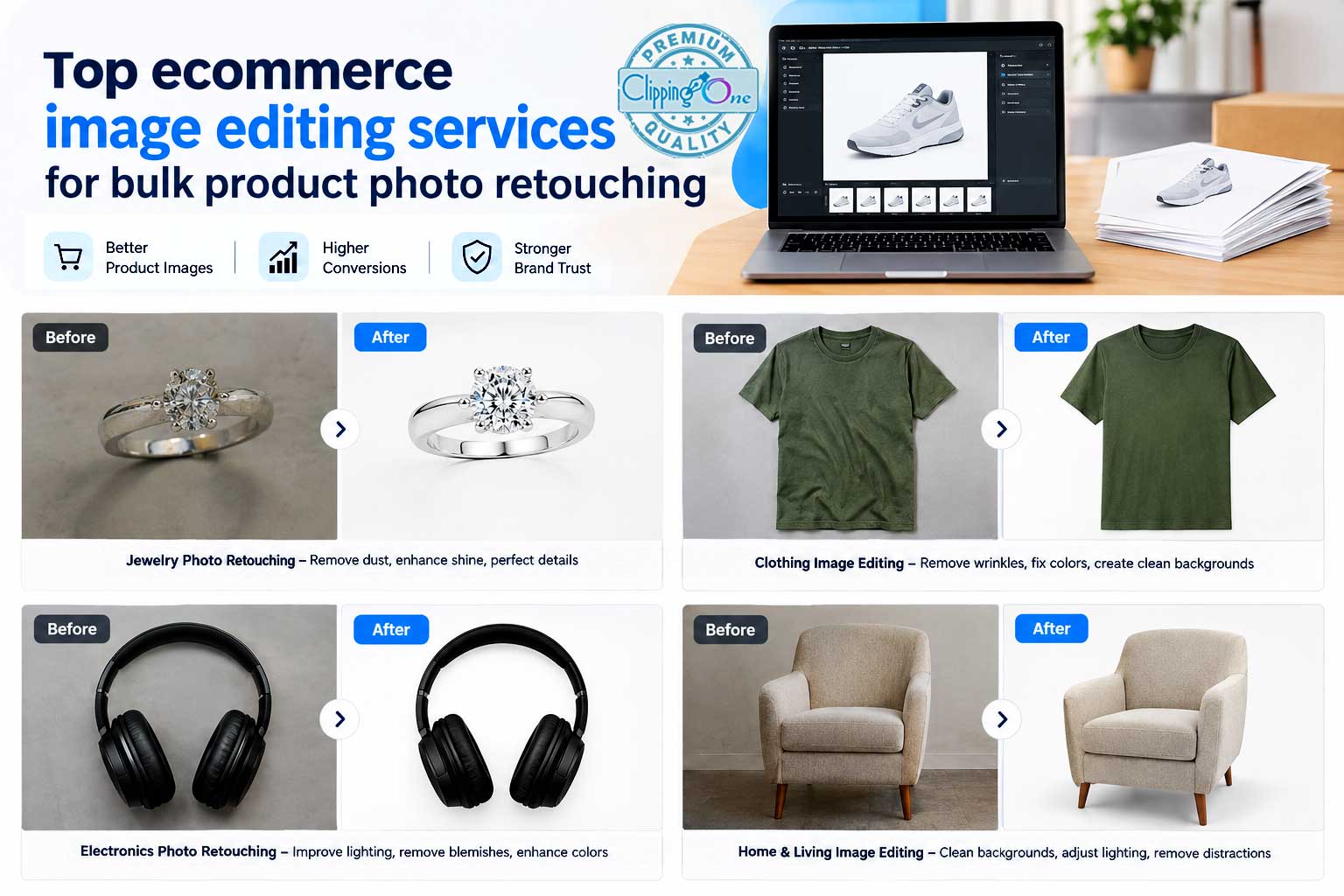
Jewelry Ecommerce Photo Editing
Jewelry photography can be particularly challenging because jewelry contains reflective metals, gemstones, transparency, tiny details, and complex shapes.
Common editing requirements include:
- Background removal
- Dust removal
- Metal cleanup
- Gemstone enhancement
- Reflection control
- Color correction
- Highlight adjustment
- Shadow creation
- Fine masking
- Product retouching
Jewelry should remain realistic.
Over-editing can make diamonds appear artificially bright or metals appear plastic.
A good editor enhances clarity while preserving the material characteristics of the product.
Clothing Ecommerce Photo Editing
Fashion images commonly require:
- Background removal
- Ghost mannequin editing
- Wrinkle removal
- Color correction
- Fabric cleanup
- Shape refinement
- Neck joint editing
- Shadow creation
Consistency is particularly important.
All garments in the same catalog should have similar:
- Scale
- Position
- Background
- Lighting
- Shadow
- Color presentation
This creates a professional fashion storefront.
Shoe Ecommerce Photo Editing
Shoe photography often requires:
- Clipping paths
- Background removal
- Sole cleanup
- Dust removal
- Color correction
- Shadow creation
- Reflection creation
- Cropping
- Resizing
Shoes can contain complex curves, laces, stitching, and transparent materials.
Careful edge work is essential.
Furniture Ecommerce Photo Editing
Furniture requires special attention to:
- Perspective
- Straight lines
- Background removal
- Shadows
- Color accuracy
- Surface cleanup
- Image alignment
A sofa or dining table may look distorted if the camera perspective is not corrected.
For furniture retailers, consistent scale and camera angle are especially useful because shoppers often compare multiple products side by side.
Electronics Ecommerce Photo Editing
Electronics often have:
- Glossy surfaces
- Screens
- Metallic components
- Buttons
- Ports
- Reflections
Editing should remove distracting reflections while maintaining the product’s genuine appearance.
Screen content may also require special attention depending on the purpose of the photograph.
Cosmetics and Beauty Product Editing
Cosmetics often require high-detail retouching.
Typical products include:
- Perfume bottles
- Lipsticks
- Skincare bottles
- Makeup palettes
- Foundation containers
- Cosmetic packaging
Common editing requirements include:
- Background removal
- Dust removal
- Label cleanup
- Reflection correction
- Color correction
- Shadow creation
- Packaging retouching
The product label must remain accurate.
Do not accidentally alter product names, ingredient information, logos, or packaging details during retouching.
How to Maintain Consistency Across Hundreds or Thousands of Product Images
Editing one product photograph is relatively easy.
Editing 5,000 product photographs consistently is a different challenge.
Large ecommerce businesses need a standardized editing workflow.
Start by creating an editing specification.
Your specification can include:
Background
Example:
- Pure white
- Light gray
- Transparent
- Branded background
- Lifestyle environment
Product scale
Example:
- Product occupies approximately 80% of canvas
- Center aligned
- Equal top and bottom spacing
Shadow
Example:
- Soft natural shadow
- Low opacity
- Consistent direction
Color
Example:
- Accurate to physical product
- No excessive saturation
File size
Example:
- Optimized for website
- Maintain high resolution
File naming
Example:
SKU-color-angle.jpg
Once these standards are established, editors can follow the same instructions across large batches.
Batch Editing Ecommerce Photos
Batch processing is one of the biggest advantages of professional ecommerce photo editing.
Instead of editing every photograph individually from scratch, similar images can follow a standardized workflow.
For example:
Batch 1: White-background products
Batch 2: Jewelry masking
Batch 3: Clothing ghost mannequin
Batch 4: Product color changes
Batch 5: Lifestyle image retouching
This approach can significantly improve consistency.
However, automated batch processing should not mean that every image receives identical adjustments.
Products differ.
An editor should still review the final results individually.
AI vs Manual Ecommerce Photo Editing
AI-powered editing tools have made ecommerce image processing faster.
AI can help with:
- Background removal
- Object selection
- Mask creation
- Upscaling
- Basic retouching
- Background generation
- Automated enhancement
For straightforward images, automation can be useful.
But complex product photographs still require careful human review.
Problems can occur around:
- Hair
- Fur
- Transparent objects
- Jewelry
- Glass
- Fine edges
- Complex shadows
- Reflective surfaces
- Product labels
The most practical workflow for many ecommerce businesses is not necessarily “AI or human.”
It can be automation for repetitive tasks plus professional human quality control.
This combines speed with visual judgment.
Common Ecommerce Photo Editing Mistakes
Even experienced businesses can make mistakes during product image editing.
Here are some of the most common.
Mistake 1: Over-retouching
A product can become unrealistic when every texture and imperfection is removed.
The purpose of ecommerce editing is to improve presentation while maintaining accuracy.
Mistake 2: Incorrect product color
Making a product more colorful may look attractive, but it can create customer expectations that the physical product cannot meet.
Color accuracy should come before dramatic enhancement.
Mistake 3: Poor background removal
Visible halos, jagged edges, or leftover background pixels can make professional product photography look amateur.
Mistake 4: Inconsistent product sizing
If products appear at different scales throughout a catalog, the storefront can look disorganized.
Mistake 5: Excessive shadows
A strong artificial shadow can distract from the product.
Shadows should support depth and realism.
Mistake 6: Removing genuine product characteristics
Scratches on the product may sometimes be part of the product itself rather than a photographic imperfection.
Editors need to distinguish between photography defects and actual product characteristics.
Mistake 7: Ignoring platform requirements
A beautiful image can still cause problems if it does not meet the technical requirements of the platform where it will be published.
Google Merchant Center, for example, has specific requirements concerning image size, product visibility, promotional overlays, and image formats.
Ecommerce Image Editing for Amazon, Shopify, Google Shopping, and Other Platforms
The editing workflow should always consider where the final image will be used.
Amazon
Amazon product photography often requires clean product presentation and marketplace-compliant images.
Before uploading, sellers should check the current requirements for their product category and marketplace.
Do not assume that an image prepared for one ecommerce platform automatically satisfies another platform’s requirements.
Shopify
Shopify gives merchants more control over their storefront design.
This means product images can be prepared according to the brand’s visual identity while maintaining consistent dimensions and quality.
Shopify recommends high-resolution product images and supports images up to 5000 × 5000 pixels or 25 megapixels, with a file size below 20 MB.
Google Shopping
Google Merchant Center has particularly important image requirements because product images are used across Google’s shopping surfaces.
Google currently recommends high-resolution product images and says images around 1500 × 1500 pixels or above can provide strong performance across listing formats. Google has also announced a 500 × 500 pixel minimum beginning January 31, 2027.
Google also states that promotional text, price information, calls to action, and similar overlays should not be placed on the primary product image.
That means ecommerce image editing needs to consider not only aesthetics but also platform compliance.
How to Create a Professional Ecommerce Image Editing Workflow
A scalable workflow can be divided into six stages.
Stage 1: Photography
Capture high-resolution product images using consistent lighting and camera settings.
Stage 2: File organization
Sort files by SKU, product, color, and angle.
Stage 3: Editing
Apply the appropriate editing techniques.
Stage 4: Quality control
Review images for technical and visual accuracy.
Stage 5: Export
Create final publishing files according to platform requirements.
Stage 6: Upload
Publish the approved images to the ecommerce store or marketplace.
This workflow helps prevent editing from becoming a bottleneck.
Should You Edit Ecommerce Photos In-House or Outsource Them?
This is one of the biggest decisions for ecommerce businesses.
Both approaches can work.
The correct option depends on image volume, complexity, budget, staffing, and turnaround requirements.
In-house editing
An internal team can provide:
- Direct communication
- Immediate revisions
- Full control
- Brand familiarity
- Internal workflow integration
However, an in-house team also requires:
- Salaries
- Training
- Software
- Hardware
- Management
- Quality control
- Backup staffing
- Additional resources during peak periods
For small image volumes, this may be manageable.
For thousands of images, it can become expensive and difficult to scale.
Outsourcing ecommerce image editing
Outsourcing provides access to specialized editors without requiring the business to maintain a large internal editing department.
It can be particularly useful for:
- Seasonal product launches
- Large catalog updates
- Fashion collections
- Marketplace migration
- Product photography campaigns
- High-volume ecommerce stores
- Agencies managing multiple clients
A specialized editing partner can process large batches while the internal team focuses on merchandising, marketing, sales, and customer experience.
How to Choose an Ecommerce Photo Editing Company
Before selecting an editing company, evaluate more than price.
A low per-image rate does not necessarily mean lower total cost if you need to repeatedly correct the output.
Look for:
1. Sample editing
Ask the provider to edit several of your real product images.
This lets you evaluate actual quality instead of relying on portfolio images alone.
2. Turnaround time
Ask:
- What is the standard turnaround?
- What happens during peak periods?
- Can urgent batches be handled?
- Is there a guaranteed delivery window?
3. Revision policy
Understand how revisions are handled before starting large projects.
4. Quality control
Ask whether edited images are reviewed before delivery.
5. Scalability
If you normally process 100 images but sometimes need 5,000, make sure the provider can handle both volumes.
6. File transfer
Choose a workflow that is convenient for your team.
FTP, Dropbox, Google Drive, WeTransfer, and dedicated upload systems can all work depending on your requirements.
7. Pricing
Compare pricing according to the actual editing complexity.
Background removal and high-end jewelry retouching should not necessarily cost the same.
8. Security
If you are outsourcing commercial product photography, make sure the provider has appropriate confidentiality and security procedures.
Why Clipping Path One Can Be Used for Ecommerce Image Editing
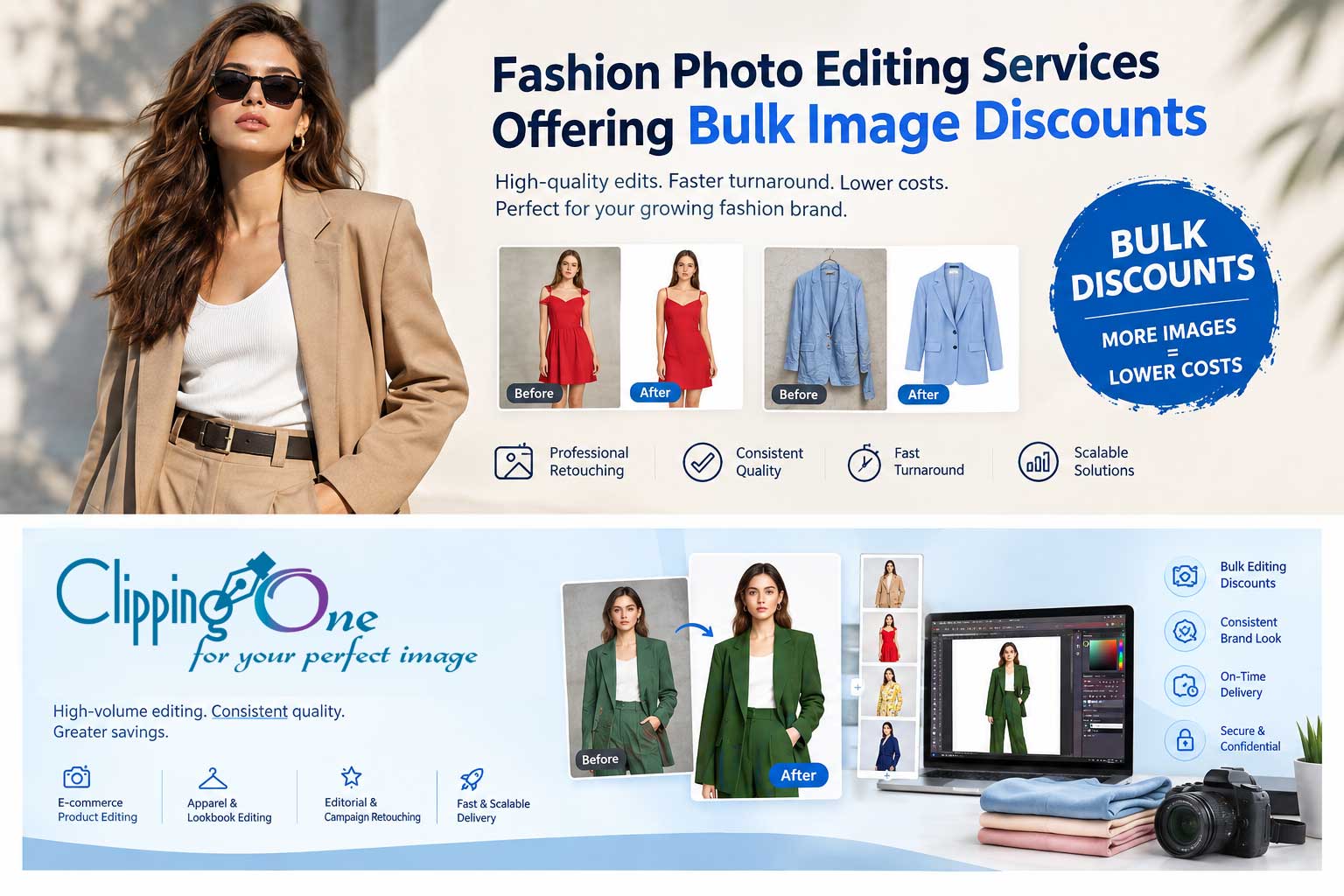
Clipping Path One provides ecommerce image editing services covering common product post-production requirements such as background removal, shadow creation, color correction, product retouching, cropping, resizing, clipping paths, masking, and other ecommerce image editing tasks.
The company’s ecommerce service page currently lists pricing starting at $0.35 per image and describes turnaround options ranging from 6 to 24 hours depending on the project. It also states that bulk discounts are available.
For businesses processing large product catalogs, the service can be used for tasks ranging from straightforward background removal to more detailed product retouching.
The workflow can also accommodate different file types and transfer methods, including FTP and common cloud-based transfer options.
For businesses that want to evaluate quality before sending a larger batch, Clipping Path One’s service page states that customers can submit up to 10 images for a free trial.
Ecommerce Photo Editing Services You May Need
Depending on your products, your editing workflow may include several different services.
Background removal
Separates the product from the original environment and prepares it for a clean ecommerce presentation.
Clipping path
Creates a precise path around products with defined edges.
Image masking
Handles difficult areas such as hair, fur, glass, transparent materials, and fine edges.
Product retouching
Removes dust, scratches, blemishes, and unwanted photographic imperfections.
Color correction
Improves color accuracy and creates consistency across product images.
Shadow creation
Adds natural depth and prevents products from appearing to float.
Ghost mannequin
Creates invisible mannequin effects for fashion products.
Color change
Creates additional product color variations where appropriate.
Cropping and resizing
Prepares images for specific ecommerce layouts and publishing requirements.
High-end retouching
Provides detailed finishing for luxury products, jewelry, cosmetics, fashion, and advertising imagery.
How to Prepare Your Images Before Sending Them to an Editor
You can make the editing process faster by providing clear instructions.
Before sending a batch, provide:
- Product names
- SKU numbers
- Required output dimensions
- Background requirements
- Shadow requirements
- Color correction instructions
- Retouching instructions
- Output format
- File naming requirements
- Reference images
- Marketplace requirements
- Delivery deadline
If you have a preferred visual style, send a reference image.
For example:
“Please make all product images look like this reference.”
This is often more effective than providing a long written description.
For large projects, create an editing guideline document that editors can follow throughout the project.
A Practical Ecommerce Photo Editing Checklist
Before publishing an image, check the following.
Product accuracy
- Is the complete product visible?
- Is the product shape correct?
- Are labels and logos accurate?
- Is the product color realistic?
Background
- Is the background clean?
- Are there visible remnants?
- Are edges smooth?
- Is the background consistent?
Retouching
- Has dust been removed?
- Have unwanted scratches been removed?
- Are there any editing artifacts?
- Has the product been over-retouched?
Shadow
- Is the shadow natural?
- Does it follow the lighting direction?
- Is it too dark?
- Does the product appear grounded?
Color
- Is the color accurate?
- Is white balance correct?
- Is saturation excessive?
Composition
- Is the product centered?
- Is the scale consistent?
- Is there enough breathing room?
- Is the crop appropriate?
Technical quality
- Is the resolution sufficient?
- Is the file format correct?
- Is the file size reasonable?
- Does the image look sharp?
- Does it display correctly on mobile?
How Professional Ecommerce Photo Editing Supports Better Product Presentation
The purpose of ecommerce image editing is not simply to make photographs “prettier.”
It creates a repeatable visual system for your online store.
A professional product catalog should make shoppers feel that every product belongs to the same brand.
That means:
- Similar product scale
- Consistent backgrounds
- Consistent lighting
- Accurate colors
- Clean edges
- Professional shadows
- Consistent image dimensions
This consistency becomes increasingly important as a business grows.
A store with 20 products can sometimes manage inconsistencies manually.
A store with 2,000 or 20,000 products needs a system.
How to Edit Ecommerce Photos Faster Without Sacrificing Quality
Speed matters in ecommerce because products often need to be published quickly.
The best way to improve speed is not to eliminate quality control.
Instead, build a standardized workflow.
Start with consistent photography.
Then create:
- Photoshop actions
- Editing presets
- File naming rules
- Background standards
- Crop standards
- Color standards
- Export presets
- QC checklists
Use automation for repetitive tasks.
Use human review for complex images.
This combination can reduce production time while maintaining visual quality.
When Should You Outsource Ecommerce Photo Editing?
Outsourcing can make sense when:
- Your product catalog is growing rapidly.
- Your internal team is overloaded.
- You have seasonal image spikes.
- You are launching a new collection.
- You need hundreds or thousands of images edited.
- Your existing editors are spending too much time on repetitive tasks.
- You need specialized masking or retouching.
- You want consistent output across multiple stores.
- You want to reduce internal production costs.
- You need extended editing coverage.
For example, a fashion retailer may photograph 1,000 new products before a seasonal launch.
Instead of hiring temporary editors, the company can send the batch to an experienced ecommerce photo editing team.
The internal marketing team can then focus on product descriptions, merchandising, campaigns, and launch planning.
Frequently Asked Questions About Ecommerce Photo Editing
How do I edit ecommerce photos?
Start by correcting exposure and white balance, remove the background, create accurate clipping paths or masks, retouch dust and imperfections, correct colors, add realistic shadows, crop and resize the image, sharpen it appropriately, and export it in the required format.
The exact workflow depends on the product and the platform where the image will be published.
What is the best background for ecommerce product photos?
A clean white or neutral background is commonly used for product listings because it provides consistency and keeps attention on the product.
However, lifestyle and branded backgrounds can also be useful for secondary images and marketing campaigns.
Always check the requirements of the specific marketplace or advertising platform.
Should ecommerce photos be edited?
Yes. Professional editing can improve consistency, remove distracting photographic imperfections, correct colors, and prepare images for ecommerce publishing.
The goal should be accurate and professional presentation rather than unrealistic manipulation.
Can I edit ecommerce photos with Photoshop?
Yes.
Adobe Photoshop is widely used for professional ecommerce image editing.
It provides tools for:
- Clipping paths
- Masks
- Retouching
- Color correction
- Background removal
- Compositing
- Shadows
- Resizing
- Batch workflows
For simple images, basic tools may be enough. Complex products often require more advanced manual editing.
Can AI edit ecommerce product photos?
Yes.
AI tools can automate tasks such as background removal, object selection, enhancement, and some forms of retouching.
However, complex products may still require human review, especially where accurate edges, reflections, transparent materials, jewelry, fine fabric, and product details are involved.
What image size is best for ecommerce?
The ideal dimensions depend on the platform.
Google currently recommends product images around 1500 × 1500 pixels or above when possible and has announced a 500 × 500 pixel minimum for product images beginning January 31, 2027.
Shopify allows product images up to 5000 × 5000 pixels or 25 megapixels and notes that 2048 × 2048 pixels generally displays well for square product images.
Always check the latest requirements of the specific platform you are using.
How can I make product photos look professional?
Use consistent photography, clean backgrounds, accurate color correction, precise background removal, realistic shadows, careful retouching, consistent cropping, and high-resolution exports.
Consistency across the entire catalog is just as important as the quality of individual images.
How much does ecommerce image editing cost?
The price depends on the editing complexity.
Simple background removal generally costs less than detailed jewelry retouching, complex masking, ghost mannequin editing, or advanced compositing.
For example, Clipping Path One currently lists ecommerce image editing starting at $0.35 per image, with different services carrying different rates.
For large projects, requesting a custom quote based on sample images and volume is usually the most practical approach.
How many images can I send for ecommerce editing?
There is no universal limit.
The right provider should be able to handle both small batches and high-volume projects.
Clipping Path One states that it accepts orders of any size and provides bulk discounts for larger volumes.
Can I test an ecommerce photo editing company before placing a large order?
A sample or trial batch is one of the best ways to evaluate an editing provider.
Clipping Path One currently offers a free trial of up to 10 images according to its ecommerce image editing service page.
Choose representative images for the test, including some of your most difficult products.
Final Thoughts: How to Edit Ecommerce Photos Professionally
Learning how to edit ecommerce photos is not simply about learning Photoshop tools.
It is about creating a repeatable visual presentation that makes your products easy to understand, consistent across your store, and ready for different ecommerce platforms.
A professional workflow usually includes:
- Start with high-quality original photographs.
- Organize images by product and SKU.
- Correct exposure and white balance.
- Remove distracting backgrounds.
- Create precise clipping paths or masks.
- Retouch dust and unwanted imperfections.
- Correct product colors.
- Create natural shadows where necessary.
- Handle reflections carefully.
- Use ghost mannequin editing for appropriate clothing.
- Crop products consistently.
- Resize images according to platform requirements.
- Sharpen carefully.
- Optimize files for web delivery.
- Perform final quality control.
- Compare edited images with originals.
- Maintain consistent standards across the entire catalog.
For a small number of products, you may be able to manage this workflow internally.
For hundreds or thousands of images, outsourcing can provide additional editing capacity while allowing your internal team to focus on ecommerce operations, marketing, merchandising, and sales.
If you need professional help with background removal, product retouching, color correction, clipping paths, masking, shadows, ghost mannequin editing, cropping, resizing, or other ecommerce post-production work, you can explore the Clipping Path One E-Commerce Image Editing Service.
You can also start with a sample batch before moving into a larger production workflow.
A well-edited ecommerce photograph does not need to look artificially perfect.
It needs to look clean, accurate, consistent, professional, and ready for the customer to evaluate.
That is the real purpose of ecommerce photo editing.