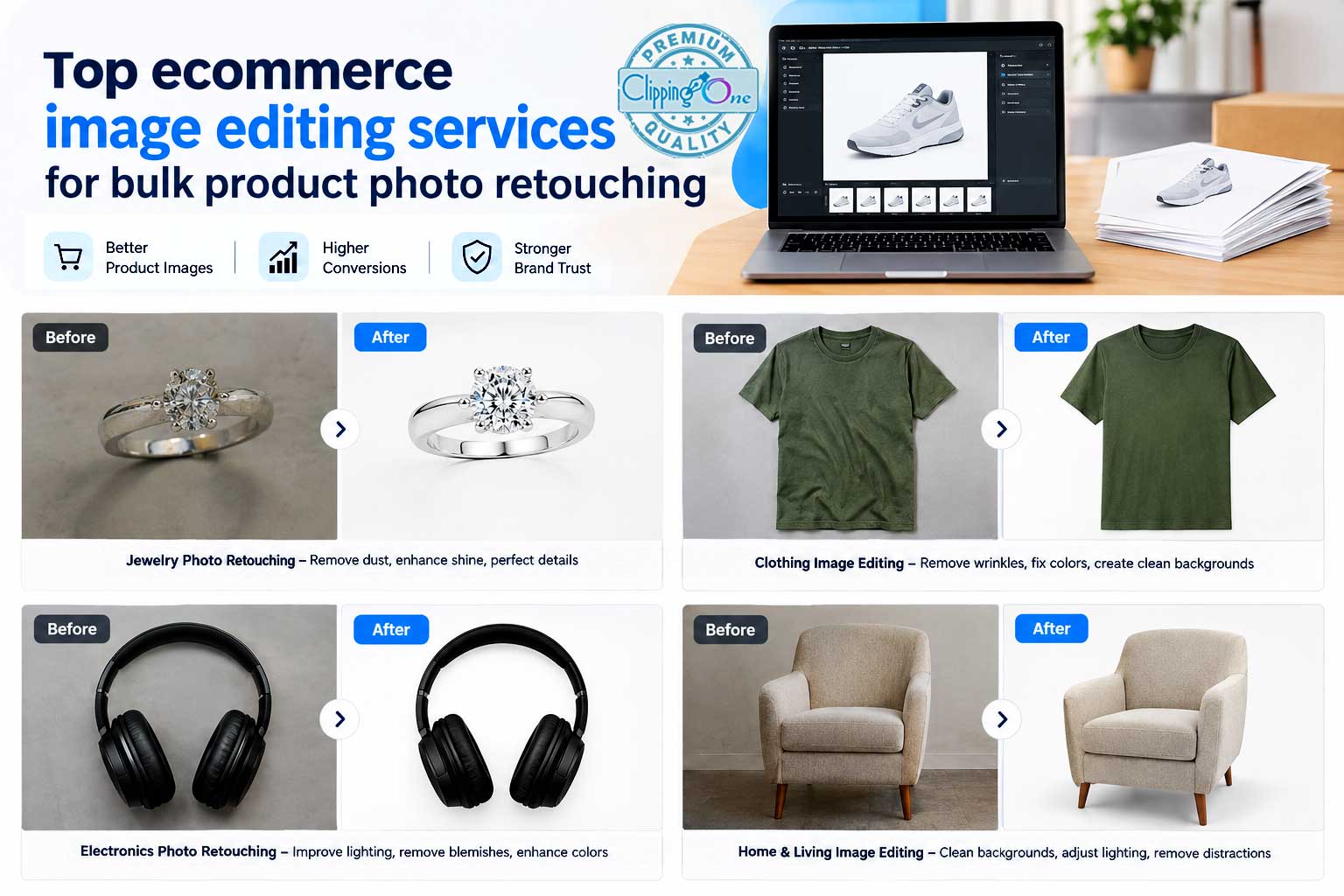
Remove Background from Product Photo: A Complete Guide for E-commerce, Automotive & Product Images
A professional product photo can make the difference between a customer stopping to look and scrolling past an item.
Whether you sell automotive parts, fashion products, electronics, jewelry, furniture, cosmetics, accessories, or other physical products, the background surrounding an item has a major influence on how the image looks and how customers perceive the product.
Busy backgrounds can distract viewers. Uneven lighting can make a product appear less attractive. Shadows, unwanted objects, signs, people, reflections, and clutter can compete with the actual product.
That is why businesses often remove background from product photos before publishing them on e-commerce websites, marketplaces, catalogs, advertisements, social media, and digital campaigns.
Background removal is more than simply deleting the area around an object. Professional product image editing requires accurate selection, clean edges, natural shadows, appropriate color correction, and careful handling of difficult details such as transparent materials, hair, fur, glass, chrome, wheels, spokes, wires, and reflective surfaces.
For automotive businesses, the same principle applies to vehicle and automotive-part photography. A dealership may need clean vehicle images for inventory listings, while an automotive parts company may need isolated images of wheels, headlights, brake components, mirrors, bumpers, or accessories.
This guide explains how to remove background from product photos, why businesses use professional background removal, which products require specialized techniques, and how professionally edited product images can fit into modern e-commerce and automotive marketing workflows.
What Does It Mean to Remove the Background from a Product Photo?
Product photo background removal is the process of separating the main product or object from its original surroundings and removing unwanted background elements.
The isolated product can then be placed on: 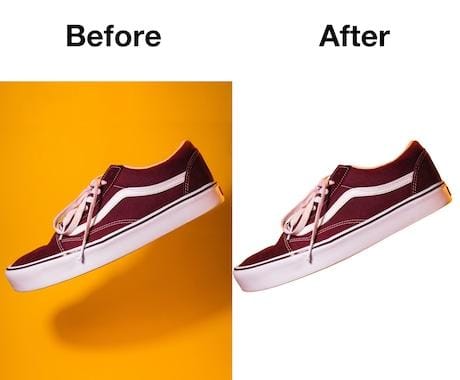
- A pure white background
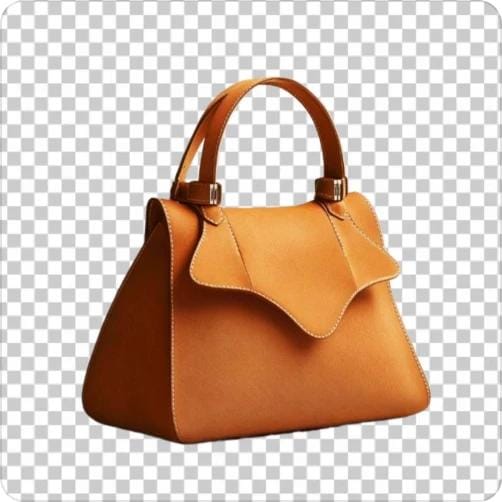
- A transparent background
- A branded background
- A gradient
- A studio-style environment
- A lifestyle scene
- A custom advertising layout
- A marketplace-
compliant background
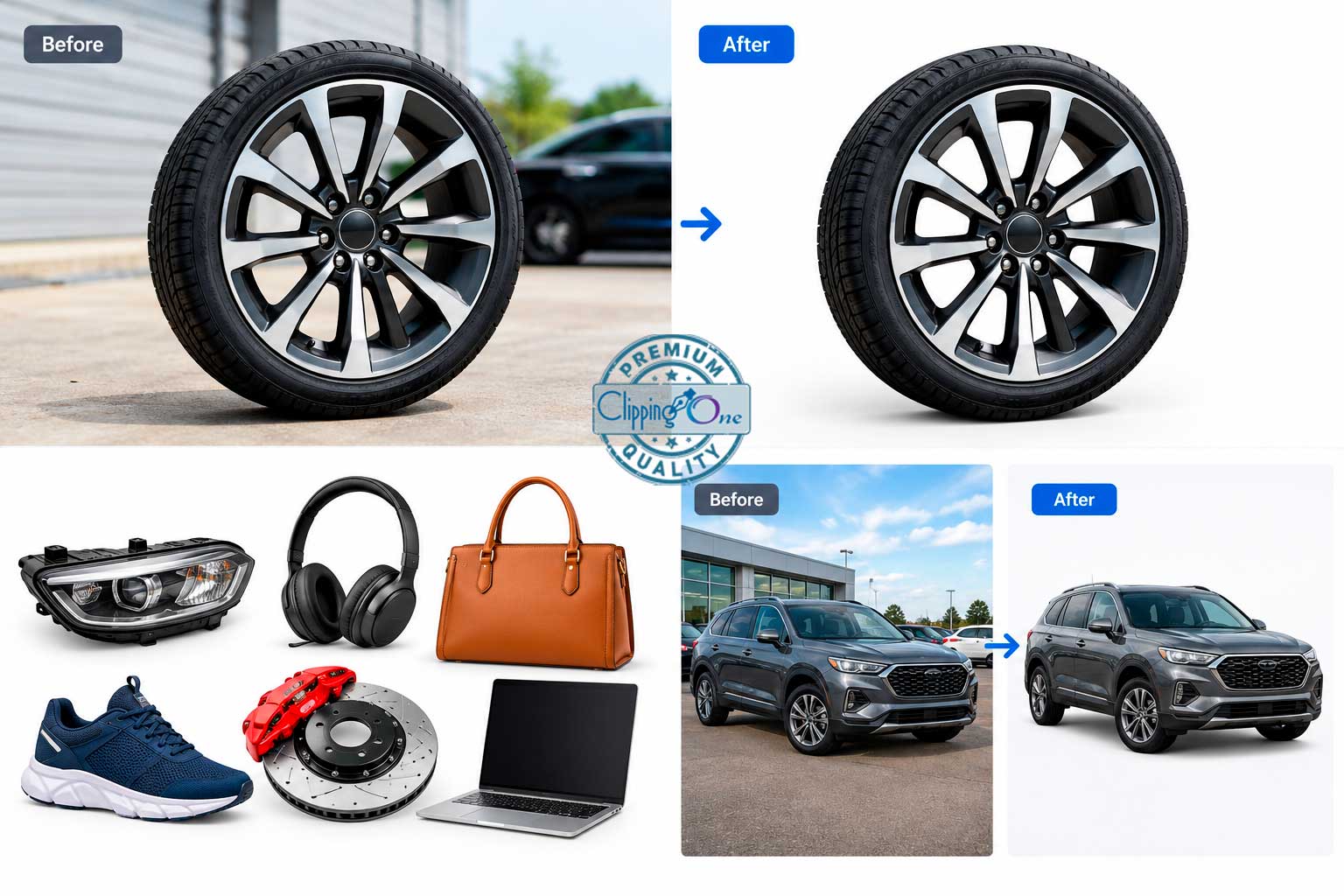
For example, imagine a photograph of a car wheel taken outside an automotive shop.
The original image
might contain:
- Concrete pavement
- Other vehicles
- Buildings
- People
 Parking lines
- Shadows
- Signboards
- Trees
- Reflections
 Parking lines
After background removal, the wheel can be isolated and presented against a clean background.
The same concept works for an e-commerce product.
A handbag photographed inside a store could be separated from shelves and surrounding products and placed on a clean white background.
A jewelry product can be isolated from a tabletop.
A car headlight can be extracted from a workshop environment.
A pair of shoes can be separated from a studio floor.
The purpose is to make the product itself the visual focus.
Why Is Product Photo Background Removal Important?
Modern customers are exposed to thousands of product images every day.
When people visit an online store, marketplace, dealership inventory page, or product catalog, they typically scan images quickly.
A clean image helps customers understand what they are looking at without unnecessary visual distractions.
1. It Creates a Cleaner Product Presentation
A clean background gives the product more visual space.
Instead of competing with the environment, the product becomes the primary subject.
This is particularly important for businesses with large catalogs where consistency matters.
For example, if an online store has 500 products, visitors may expect the product images to follow a consistent visual style.
If some images have white backgrounds, others have warehouse backgrounds, and others show products sitting on desks, the catalog can look inconsistent.
Background removal helps establish visual uniformity.
2. It Makes Products Easier to Compare
Consistent product images make comparison easier.
Suppose a customer is comparing:
- Three car wheels
- Five handbags
- Four smartphones
- Six watches
- Multiple automotive accessories
If every product is shown against a similar background, customers can concentrate on the actual differences between the products.
The shape, color, size, design, and features become easier to evaluate.
3. It Supports E-commerce Product Listings
Many online selling platforms favor clean product imagery.
Depending on the platform and category, sellers may need images that meet particular background, framing, or presentation requirements.
A professional background-removal workflow can help businesses prepare images for:
- E-commerce stores
- Online marketplaces
- Product catalogs
- Dealer inventory systems
- Manufacturer websites
- Digital advertisements
- Social commerce
- Email marketing
- Print catalogs
The exact image requirements should always be checked against the current specifications of the platform where the images will be published.
Remove Background from Product Photo: Manual vs. Automated Editing
There are several ways to remove a background.
The most common approaches include automated software, AI-powered tools, and manual photo editing.
Each approach has its own advantages and limitations.
Automated Background Removal
Automated tools can detect the primary object and remove surrounding pixels quickly.
This can be useful when:
- The product has a simple shape
- The background is clearly different from the product
- The image has good lighting
- The edges are uncomplicated
- A large number of simple images must be processed quickly
However, automatic tools can struggle with difficult details.
For example:
- Fine wires
- Transparent glass
- Thin straps
- Hair
- Fur
- Complex mechanical parts
- Chrome surfaces
- Similar-color backgrounds
- Reflections
- Intricate jewelry
- Vehicle spokes
The output may look acceptable at first glance but reveal problems when inspected closely.
Manual Product Background Removal
Manual background removal involves carefully creating a selection or clipping path around the product.
Professional editors can inspect the image at high magnification and refine the boundary between the subject and background.
This allows them to control:
- Edge accuracy
- Curves
- Corners
- Fine details
- Transparent areas
- Holes and openings
- Shadows
- Reflections
- Product shape
- Natural appearance
For complex commercial images, manual editing can provide greater control than one-click background removal.
This is particularly valuable when images will be used for:
- Large advertising campaigns
- Premium e-commerce stores
- Catalogs
- Automotive advertising
- Manufacturer websites
- Packaging
- Print materials
- High-resolution marketing assets
How to Remove Background from Product Photo Professionally
A professional workflow generally involves several stages.
Step 1: Inspect the Original Photograph
Before editing begins, the image should be examined carefully.
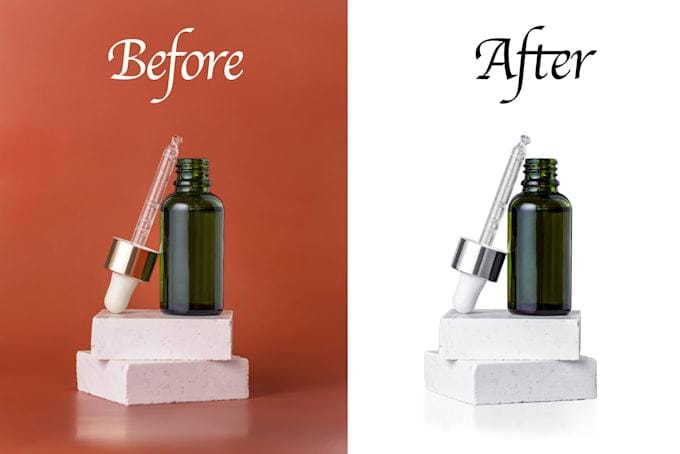
An editor needs to understand:
- What should be retained?
- What should be removed?
- Does the product have transparent areas?
- Are there internal holes?
- Are shadows part of the product presentation?
- Are reflections important?
- Is there another object touching the product?
- Does the product have fine or complicated edges?
This initial inspection determines the appropriate editing technique.
Step 2: Create an Accurate Product Selection
The next step is separating the product from its background.
For simple products, a basic selection may be sufficient.
For complex products, the editor may need to trace the entire outline manually.
This can involve:
- Pen-tool paths
- Layer masks
- Channel-based selections
- Advanced masking
- Refined selections
- Alpha-channel techniques
The objective is to create a clean boundary without accidentally cutting into the product.
Step 3: Refine the Edges
Edge quality is one of the most important aspects of background removal.
Poor edges can produce obvious problems.
For example, an image may show:
- White halos
- Dark outlines
- Jagged edges
- Missing pixels
- Rough curves
- Background fragments
Professional editing requires close inspection of these areas.
The editor should ensure that the edge follows the actual product shape.
Background Removal for Products with Complex Edges
Not every product has a simple rectangular or circular shape.
Some products require significantly more detailed work.
Common difficult products include:
- Jewelry
- Watches
- Shoes
- Clothing
- Automotive parts
- Furniture
- Electronics
- Glass products
- Transparent bottles
- Machinery
- Tools
- Home appliances
For these products, simply clicking a background-removal button may not produce a commercially acceptable result.
How to Remove Background from Automotive Product Photos
Automotive businesses have unique image-editing requirements.
A car is a large, highly reflective object with complicated contours.
Automotive parts can be equally challenging.
Consider a wheel.
A professional editor may need to preserve:
- Tire tread
- Wheel spokes
- Lug holes
- Rim edges
- Brake components
- Reflections
- Inner openings
- Fine contours
A poor selection can remove important portions of the product.
For automotive accessories, accurate masking is especially important because customers may use product images to evaluate compatibility, design, and finish.
Car Dealership Photo Background Removal
Car dealerships frequently use professional image editing to improve vehicle inventory photographs.
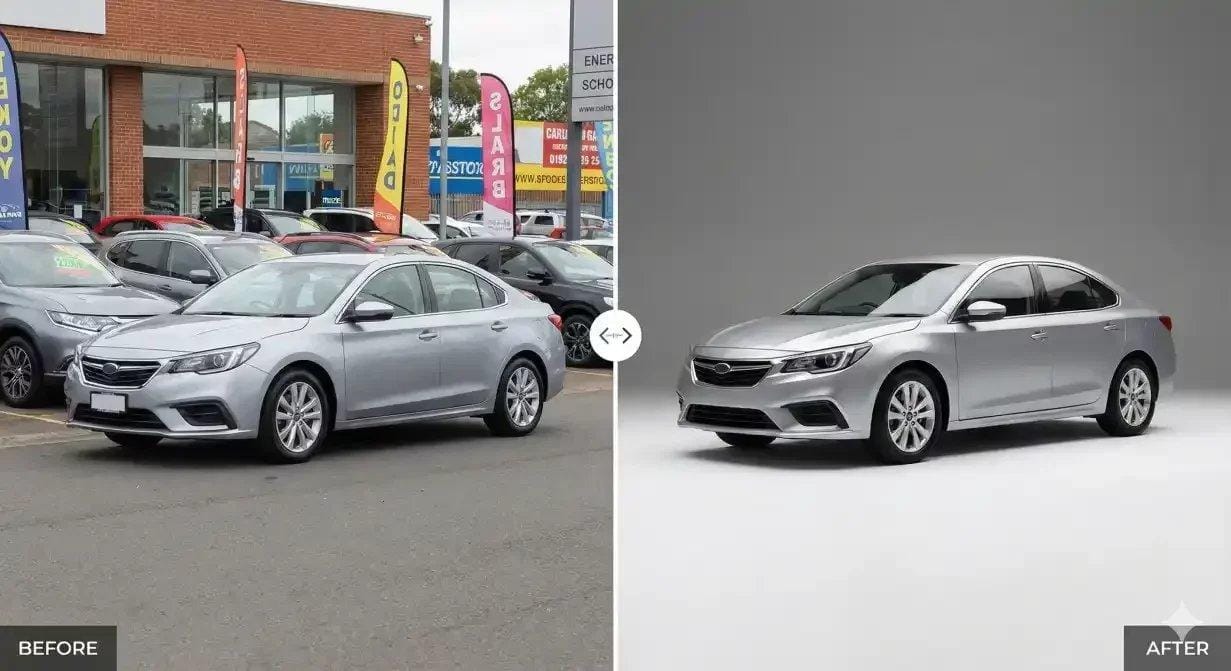
A vehicle photograph might originally contain:
- Other cars
- Dealership buildings
- Parking lots
- Utility poles
- Signs
- People
- Traffic
- Uneven pavement
- Distracting objects
Removing or replacing the background can create a more controlled presentation.
For example, the vehicle can be isolated and placed against:
- A clean studio background
- A neutral outdoor environment
- A branded dealership setting
- A controlled showroom-style environment
The editing should remain realistic and should not misrepresent important characteristics of the vehicle.
Automotive Parts Background Removal
Automotive parts companies can also benefit from background removal.
Common examples include:
- Wheels

- Tires
- Headlights
- Taillights
- Grilles
- Mirrors
- Bumpers
- Spoilers
- Brake discs
- Brake calipers
- Exhaust components
- Steering wheels
- Floor mats
- Roof racks
- Vehicle accessories
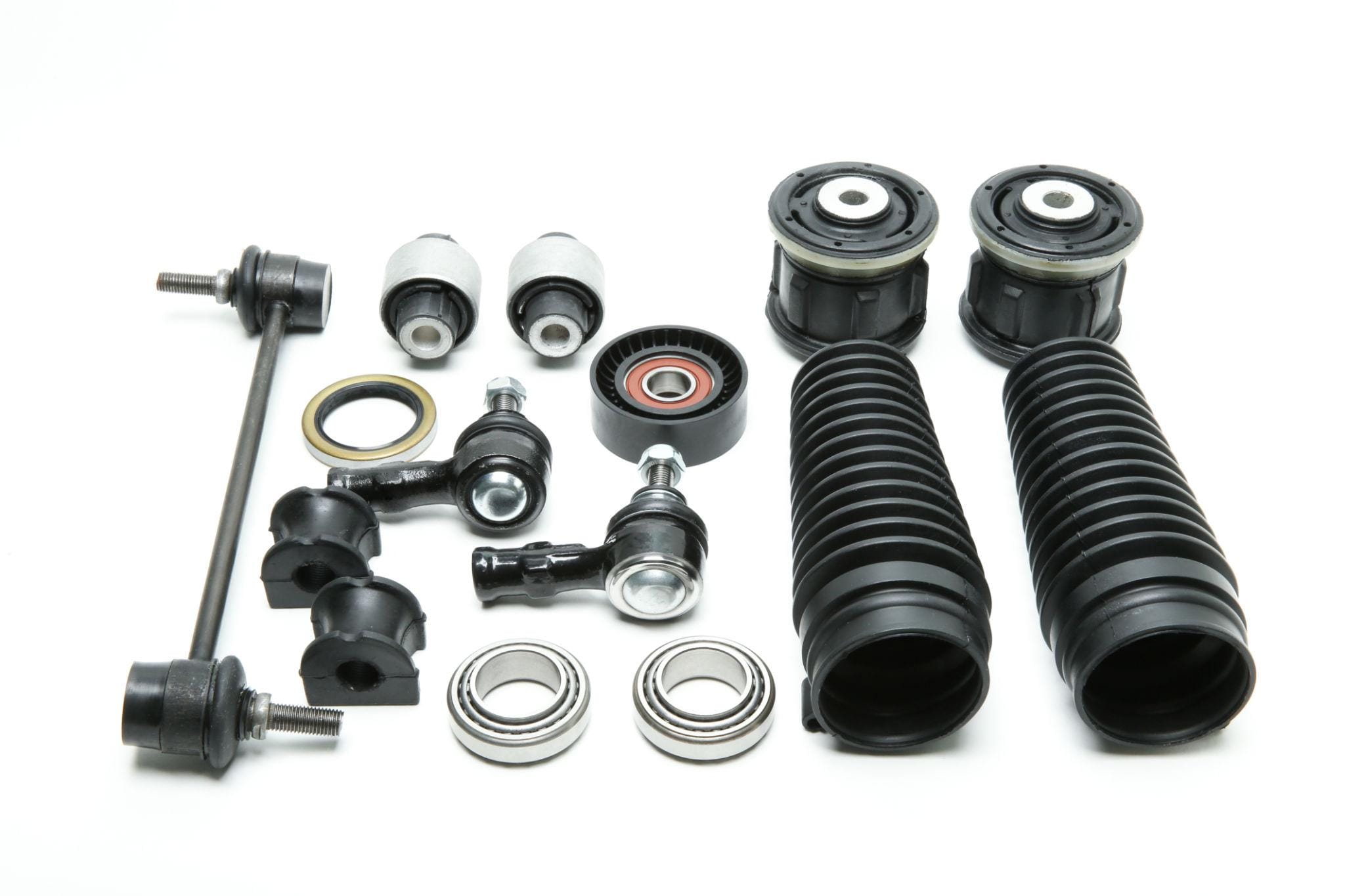
For online catalogs, isolated product images can make it easier for customers to identify and compare components.
A clean product image also gives manufacturers and distributors more flexibility when using the same asset across multiple marketing channels.
Remove Background from Product Photo for E-commerce
E-commerce businesses often need hundreds or thousands of product photographs.
Managing these images manually can become time-consuming.
A typical e-commerce catalog may include products from multiple categories.
For example:
Fashion
- Dresses
- Shirts
- Shoes
- Bags
- Jackets
- Accessories
Electronics
- Smartphones
- Cameras
- Headphones
- Laptops
- Speakers
- Accessories
Home & Living
- Furniture
- Kitchenware
- Decorations
- Appliances
- Lighting
Beauty
- Cosmetics
- Skincare
- Hair products
- Makeup accessories
Automotive
- Wheels
- Tires
- Parts
- Accessories
- Tools
Each category can require a slightly different editing approach.
White Background Product Photos
A white background is one of the most common product-photo styles.
The reason is simple: white provides a neutral environment that allows the product to stand out.
A white background can also make a product catalog look consistent.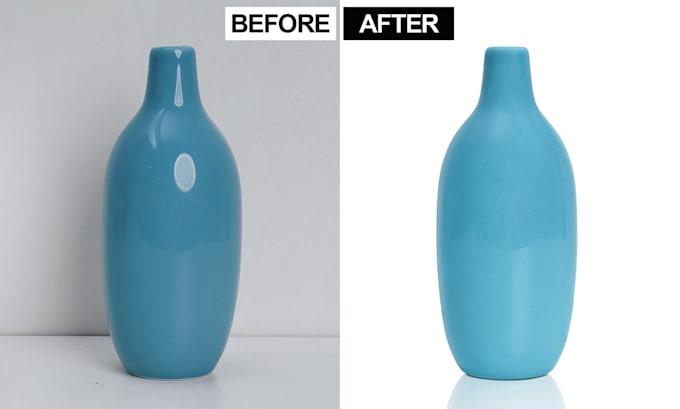
However, simply placing a product on a white background does not necessarily create a professional image.
The editor may also need to consider:
- Natural shadows
- Product brightness
- Contrast
- Color accuracy
- Edge quality
- Product positioning
- Canvas size
- Cropping
- Alignment
The final image should look intentional rather than like an object was simply cut out and pasted onto white.
Transparent Background Product Images
Sometimes businesses need the background completely removed.
In that case, the product can be delivered with transparency.
Transparent-background PNG files are useful for:
- Website banners
- Graphic design
- Advertisements
- Social media creatives
- Product comparison layouts
- Packaging design
- Catalog design
- Marketing materials
Designers can then place the product over different backgrounds without having to remove the original background again.
Background Removal vs. Clipping Path
These terms are sometimes used interchangeably, but they can describe different parts of the editing workflow.
A clipping path is a vector path used to define the boundary of a product.
Background removal is the broader process of separating the subject from the background.
For simple products, a clipping path can be an effective solution.
For more complicated images, additional masking techniques may be necessary.
Professional editors often combine different techniques depending on the image.
Product Photo Background Removal for Jewelry
Jewelry is one of the most difficult categories for background removal.
Why?
Because jewelry frequently contains:
- Small stones
- Thin chains
- Tiny openings
- Metallic reflections
- Fine prongs
- Transparent areas
- Intricate designs
A necklace, for example, may contain extremely thin sections that are easy to lose during automated selection.
Professional editing requires careful attention to these areas.
For premium jewelry photography, the goal should be to preserve the original shape and detail while eliminating distractions from the surrounding environment.
Background Removal for Clothing Photography
Clothing images can contain complex contours.
Garments may have:
- Sleeves
- Collars
- Buttons
- Laces
- Straps
- Frills
- Loose fabric
- Transparent sections
- Fine fibers
A good editor should preserve the natural shape of the garment.
Background removal can also be combined with:
- Ghost mannequin editing
- Wrinkle removal
- Color correction
- Shadow creation
- Image retouching
- Product cleanup
This makes it possible to prepare apparel images for online stores and fashion catalogs.
Background Removal for Shoes
Shoes may appear simple, but detailed editing can involve many curves and small elements.
Editors often need to preserve:
- Shoelaces
- Sole edges
- Stitching
- Mesh
- Openings
- Logos
- Texture
The final image should retain the original design without introducing artificial edges.
Remove Background from Product Photo for Amazon-Style Listings
Marketplace product images often have specific image requirements, like Amazon and Shopify.
Businesses should check the current marketplace guidelines before publishing.
For many product categories, sellers may need:
- Clean backgrounds
- Appropriate framing
- Correct image dimensions
- Accurate product representation
- High-resolution files
Background removal can help businesses prepare a master product image that can then be adapted to multiple marketplace requirements.
The important point is to maintain an accurate representation of the product.
Editing should improve presentation rather than change the product itself.
Product Background Removal for Shopify Stores
Independent e-commerce websites often have more freedom in their visual presentation.
Businesses can use:
- White-background images
- Transparent product cutouts
- Lifestyle compositions
- Branded backgrounds
- Product comparison graphics
A consistent background-removal workflow can help maintain visual consistency throughout the store.
For example, every product could follow the same:
- Image ratio
- Product position
- Background color
- Shadow style
- Padding
- Scale
This can give the website a more organized appearance.
Why Consistency Matters More Than a Single Perfect Image
A business may have one excellent product photograph.
But an e-commerce catalog might contain hundreds or thousands of images.
The real challenge is consistency.
Imagine visiting an automotive parts website where:
- One wheel is on a gray background
- Another is photographed on concrete
- Another has a workshop background
- Another is cropped tightly
- Another is photographed from far away
The catalog becomes visually inconsistent.
A standardized background-removal workflow can establish a repeatable format.
For example:
Every product:
- Centered
- Similar scale
- White background
- Natural shadow
- Consistent canvas
- Similar image dimensions
This creates a more unified presentation.
Product Photo Background Removal and Shadows
Removing the background does not always mean removing every shadow.
In fact, a natural shadow can make an isolated product look more realistic.
Without a shadow, some products can appear to float.
A professional editor may therefore:
- Remove the original background.
- Preserve a useful natural shadow where appropriate.
- Recreate a controlled shadow when necessary.
- Match the shadow direction to the lighting.
- Keep the shadow subtle.
For automotive products, shadows can be particularly important because wheels, tires, parts, and accessories can otherwise look disconnected from the surface.
Natural Shadows vs. Artificial Shadows
There is an important difference between creating a natural-looking shadow and adding an obvious digital effect.
A professional shadow should support the product.
It should not become the main visual element.
Common shadow styles include:
- Drop shadow
- Natural floor shadow
- Soft shadow
- Reflection shadow
- Contact shadow
The correct choice depends on the product and intended use.
Background Removal and Color Correction
Sometimes background removal alone is not enough.
Product images may also require basic color correction.
For example, the original image may have:
- Yellow lighting
- Blue color casts
- Low contrast
- Uneven brightness
- Incorrect white balance
After removing the background, these issues may become more noticeable.
Color correction can help make the product look closer to its original appearance.
However, color editing should be performed carefully.
The goal is not to make a red product look brighter red than it actually is.
Accurate product representation is particularly important for e-commerce because customers expect the delivered product to resemble the image they saw online.
Background Removal for Reflective Products
Reflective products can be difficult because they contain reflections of their surroundings.
Examples include:
- Chrome automotive parts
- Watches
- Jewelry
- Metallic tools
- Kitchen appliances
- Glass products
- Polished furniture
The editor needs to distinguish between the actual product edge and reflected background information.
A simple automated tool may interpret some reflections incorrectly.
Professional manual masking can help preserve the product’s original structure.
Background Removal for Glass and Transparent Products
Transparent products create another challenge.
Examples include:
- Glass bottles
- Vases
- Eyewear
- Transparent packaging
- Automotive glass components
The background can be visible through the product.
Therefore, simply removing the background around the outer edge may not be enough.
The editor may need to manage:
- Transparency
- Reflections
- Internal background areas
- Highlights
- Shadows
- Glass edges
This is one reason why complex product photo editing is often handled manually.
Common Background Removal Mistakes
Businesses sometimes focus entirely on speed.
But a fast edit is not useful if the final image contains obvious problems.
Mistake 1: Jagged Edges
Jagged edges often become visible around curved products.
Mistake 2: White Halos
A light outline may remain around a product after background removal.
Mistake 3: Missing Product Details
Automated selections may accidentally remove small product elements.
Mistake 4: Unnatural Shadows
A shadow may be too dark, too large, or positioned incorrectly.
Mistake 5: Inconsistent Product Size
Products may appear at different scales from image to image.
Mistake 6: Incorrect Colors
Excessive editing can make a product look different from the original.
Mistake 7: Over-Cropping
Important product details can be lost if the image is cropped too tightly.
How Professional Product Photo Editing Helps Large Catalogs
The biggest advantage of professional editing is not simply that one image looks better.
It is the ability to create a repeatable production process.
A business may submit:
- 50 images
- 500 images
- 5,000 images
- 50,000 images
A professional workflow can apply consistent instructions across the entire batch.
For example:
Editing specification
- Remove original background
- Create white background
- Preserve product proportions
- Add subtle natural shadow
- Correct exposure
- Maintain original colors
- Center product
- Keep consistent dimensions
- Export as JPG
A defined specification helps different batches maintain the same visual style.
Outsourcing Product Background Removal
For businesses with large image volumes, outsourcing can be an alternative to handling every image internally.
Outsourcing may help companies avoid:
- Hiring additional full-time editors
- Purchasing additional editing workstations
- Training staff
- Managing peak-season workloads
- Building an internal post-production department
This can be particularly useful for:
- E-commerce companies
- Photography studios
- Automotive dealerships
- Automotive manufacturers
- Product manufacturers
- Advertising agencies
- Marketing companies
- Catalog businesses
What to Look for in a Product Photo Editing Company
Choosing an editing provider should involve more than comparing the price per image.
Businesses should consider several factors.
Editing Quality
Ask for actual samples.
Look closely at:
- Edges
- Curves
- Fine details
- Shadows
- Color
- Reflections
- Transparency
Turnaround Time
Ask how quickly normal and urgent batches can be completed.
Scalability
If your image volume increases during a busy season, the provider should have a process for handling larger workloads.
Communication
Clear communication is important when editing instructions change from batch to batch.
Quality Control
Ask how the company checks completed images before delivery.
File Security
Businesses should understand how uploaded files are stored, transferred, and handled.
Sample Editing
A sample batch can help determine whether the provider’s editing style matches your requirements.
How to Prepare Your Images Before Sending Them for Background Removal
Good preparation can reduce unnecessary delays.
Before submitting images, provide:
1. Original files
Whenever possible, supply the highest-quality originals available.
2. Clear instructions
Specify what should be removed and what should remain.
3. Output format
For example:
- JPG
- PNG
- TIFF
- PSD
4. Background requirements
Specify whether you need:
- White
- Transparent
- Gray
- Branded
- Custom
5. Shadow instructions
Mention whether shadows should be:
- Removed
- Preserved
- Recreated
- Softened
6. Dimensions
Provide the desired output dimensions if they are important.
7. Naming conventions
For large batches, consistent file naming can simplify your workflow.
A Practical Product Background Removal Workflow
Here is a simple production workflow that businesses can use.
Stage 1 — Upload
Send original product photographs.
Stage 2 — Review
The editor checks complexity and editing requirements.
Stage 3 — Background Removal
The product is isolated using an appropriate technique.
Stage 4 — Edge Refinement
The outline is checked and corrected.
Stage 5 — Background Replacement
The product is placed against the requested background.
Stage 6 — Retouching
Unwanted dust, marks, scratches, or distractions can be removed if requested.
Stage 7 — Color Correction
Exposure, contrast, and color are adjusted when required.
Stage 8 — Shadow
A natural or controlled shadow can be created where appropriate.
Stage 9 — Quality Control
The final image is inspected before delivery.
Stage 10 — Export
Images are delivered in the required format and dimensions.
Remove Background from Product Photo for Marketing Campaigns
Product images are not used only on product pages.
Businesses also use them in marketing.
A transparent product cutout can be incorporated into:
- Facebook advertisements
- Instagram posts
- Website banners
- Google advertising creatives
- Email campaigns
- Brochures
- Flyers
- Catalogs
- Landing pages
- Promotional graphics
For example, an automotive accessories company could isolate a wheel and place it into a promotional banner alongside pricing and product information.
A dealership could isolate a vehicle and combine it with branded campaign graphics.
Product Background Removal for Social Media
Social media requires visually clear content.
A clean product cutout gives designers flexibility.
The same product can be placed over multiple backgrounds without reshooting the item.
For example:
Campaign 1: Product on white
Campaign 2: Product over brand color
Campaign 3: Product over lifestyle environment
Campaign 4: Product beside promotional text
One professionally isolated product image can therefore become a reusable marketing asset.
AI Background Removal vs. Professional Photo Editing
AI-powered background removal continues to become more capable.
For straightforward images, AI can be extremely useful.
But professional editing remains valuable when images involve complicated visual information.
AI can be useful for:
- Simple products
- High-contrast backgrounds
- Fast previews
- Basic social media graphics
- Large quantities of uncomplicated images
Professional editing can be valuable for:
- Complex edges
- Automotive parts
- Jewelry
- Transparent products
- Reflective products
- Fine details
- High-value commercial images
- Consistent batch production
The two approaches do not necessarily have to compete.
Businesses can use automated tools for simple images and professional editing for images that require greater precision.
How Much Does It Cost to Remove a Background from a Product Photo?
The cost varies according to image complexity and the required output.
Simple product images generally require less editing time than complicated photographs.
Pricing may depend on:
- Product complexity
- Number of images
- Background type
- Shadow requirements
- Retouching requirements
- Clipping path complexity
- Masking requirements
- Turnaround time
- Output specifications
For example, a simple bottle photographed against a contrasting background may be relatively straightforward.
A transparent glass bottle with reflections may require considerably more work.
Likewise, a basic automotive accessory may be easier to process than a complex wheel photographed in a cluttered environment.
For large batches, businesses can often request a customized quotation based on sample images and volume.
Why Businesses Should Test Before Processing a Large Batch
Before sending thousands of photographs, it is sensible to test a small sample.
A sample allows you to evaluate:
- Edge quality
- Color accuracy
- Shadow style
- Product positioning
- Background quality
- Communication
- Turnaround time
It also gives the editor an opportunity to understand your preferred editing style.
Once the sample is approved, the same specifications can be applied to the larger batch.
Product Photo Background Removal Quality Checklist
Before approving completed images, check the following:
Product Accuracy
- Is the entire product present?
- Were important details preserved?
- Are proportions correct?
Edge Quality
- Are edges smooth?
- Are there halos?
- Are there jagged areas?
- Is unwanted background visible?
Color
- Does the product retain its original color?
- Is the exposure appropriate?
- Are highlights and shadows natural?
Background
- Is the background clean?
- Is the requested color correct?
- Is transparency working correctly?
Shadow
- Does the shadow look natural?
- Is it consistent across the batch?
Composition
- Is the product centered?
- Is the scale consistent?
- Is sufficient space available around the product?
Technical Quality
- Correct dimensions?
- Correct file format?
- Correct resolution?
- Correct naming?
Product Background Removal for Automotive E-commerce
The automotive industry increasingly depends on high-quality visual assets.
Online automotive businesses can sell or promote:
- Vehicles
- Tires
- Wheels
- Accessories
- Replacement parts
- Performance components
- Interior accessories
- Exterior accessories
- Tools
For these businesses, photography and post-production are connected.
A good photograph provides the foundation.
Professional editing transforms that photograph into a reusable commercial asset.
Vehicle Images vs. Automotive Product Images
There is an important distinction.
A vehicle image usually presents an entire car, truck, motorcycle, or other vehicle.
An automotive product image presents an individual component or accessory.
Both may require background removal, but the editing approach can differ.
Vehicle background removal may involve:
- Complex body contours
- Windows
- Mirrors
- Tires
- Reflections
- Chrome
- Grilles
- Antennas
- Shadows
Automotive product editing may involve:
- Small mechanical components
- Transparent plastic
- Metal surfaces
- Fine edges
- Internal openings
- Threads
- Bolts
- Wires
- Reflective surfaces
Experienced editors need to understand these differences.
The Importance of Maintaining Realistic Automotive Images
Automotive images should be attractive without becoming misleading.
Photo editing can remove distractions, correct lighting, clean up the presentation, and create a consistent visual style.
However, important vehicle characteristics should remain accurate.
For example, editing should not unintentionally change:
- Body color
- Vehicle model
- Wheel design
- Major equipment
- Damage condition
- Interior configuration
- Important accessories
The purpose of commercial editing should be to improve presentation while preserving the underlying subject.
How Clipping Path One Can Help with Product Background Removal
For businesses handling high-volume product imagery, Clipping Path One can provide a structured photo-editing workflow covering background removal and related post-production requirements.
A typical workflow can be adapted for different product categories, including e-commerce products and automotive imagery.
Depending on the project, services can include:
- Background removal
- Clipping path
- Image masking
- White background creation
- Transparent background
- Product retouching
- Image cleanup
- Shadow creation
- Color correction
- Automotive image editing
- Product photo editing
- High-volume image processing
The important advantage of a defined editing workflow is consistency.
Instead of treating every image as an isolated project, businesses can establish editing specifications and apply them across their catalog.
Who Needs Product Photo Background Removal?
Background removal can be useful for many industries.
E-commerce Brands
Online stores need consistent product images across their catalogs.
Photography Studios
Studios may outsource post-production after completing commercial product photography.
Advertising Agencies
Agencies may need isolated products for campaign graphics.
Fashion Brands
Clothing, footwear, handbags, and accessories often require clean product presentation.
Jewelry Companies
Fine products require detailed masking and careful edge handling.
Automotive Companies
Manufacturers, dealerships, parts sellers, and accessory brands can use isolated vehicle and product imagery.
Manufacturers
Manufacturers can use product cutouts in catalogs and technical marketing materials.
Online Marketplaces
Marketplace sellers may need standardized product images.
Benefits of Outsourcing Product Background Removal
Outsourcing can provide several operational benefits.
Lower Internal Workload
Your internal team can focus on photography, marketing, sales, merchandising, and other activities.
Scalable Production
Additional editing capacity can be added when image volume increases.
Consistent Output
A defined editing specification can be reused across batches.
Faster Production
Professional post-production teams can process large volumes according to agreed turnaround times.
Specialized Expertise
Complex images can be handled by editors experienced in masking, clipping paths, retouching, and product photography.
Frequently Asked Questions:
How do I remove the background from a product photo?
You can use automated background-removal software for simple images or professional manual editing for more complex products. Manual techniques such as clipping paths and masking provide greater control over difficult edges.
What is the best background for product photos?
A white or neutral background is commonly used because it keeps attention on the product and creates a consistent catalog appearance. However, transparent, branded, and lifestyle backgrounds can also be useful depending on the marketing purpose.
Can I remove the background from a car photo?
Yes. Vehicle photographs can be isolated from dealership lots, roads, garages, or other environments. Because vehicles have complicated contours and reflective surfaces, professional masking may be required for high-quality results.
Can background removal be done for automotive parts?
Yes. Wheels, tires, headlights, grilles, mirrors, brake components, accessories, and other automotive products can be isolated from their original backgrounds.
Should I use AI or manual background removal?
AI can be effective for simple photographs. Manual editing can be preferable when the image contains complex edges, transparency, reflections, fine details, or other difficult elements.
Can the background be changed to white?
Yes. The original background can be removed and replaced with a white background while retaining the product.
Can I get a transparent background?
Yes. The product can be isolated and exported with transparency, typically in a format that supports transparent pixels.
Can shadows be retained?
Yes. Depending on the photograph and desired style, an existing natural shadow can be preserved or a new controlled shadow can be created.
Does background removal reduce image quality?
Professional background removal should not inherently reduce the quality of the product itself. The final output should be exported according to the required resolution, dimensions, and file format.
Can background removal be done in bulk?
Yes. High-volume editing workflows can process large batches of product images while following predefined instructions for background, dimensions, shadows, and output format.
Final Thoughts: Remove Background from Product Photo for a Cleaner Product Presentation
A product photograph does not have to remain tied to the environment in which it was originally photographed.
With professional background removal, businesses can transform photographs into clean, flexible marketing assets.
The process can help:
- Remove distracting backgrounds
- Highlight products
- Create consistent catalogs
- Prepare marketplace images
- Build advertising creatives
- Create transparent product assets
- Improve automotive product presentation
- Standardize large image collections
For simple images, automated tools can provide a quick solution.
For complex commercial photography, professional editing can provide the additional precision required for clean edges, accurate product details, realistic shadows, and consistent results.
Whether you are managing an e-commerce catalog, an automotive parts store, a car dealership, a photography studio, or a large product brand, the right background-removal workflow can turn ordinary photographs into more versatile commercial assets.
Need to remove backgrounds from a large number of product photos?
Start with a small sample batch, establish your preferred editing specifications, and use those specifications to build a consistent production workflow.
Need Professional Product Background Removal?
Get clean, accurate, and consistent product images prepared for e-commerce, catalogs, advertising, and automotive marketing. Share a few sample images with Clipping Path One and define your preferred background, shadow, dimensions, and output requirements before starting a larger batch.