How Do I Get Professional Car Photos for My Dealership Website? A Complete Step-by-Step Guide
Professional car photography is one of the most important parts of presenting your dealership inventory online. Clean, detailed, and consistent vehicle images help shoppers understand what you sell, explore individual vehicles, and decide which cars deserve a closer look. Whether you operate a small independent dealership or manage hundreds of vehicles across multiple locations, the right photography process can make your online inventory look more trustworthy and professional.
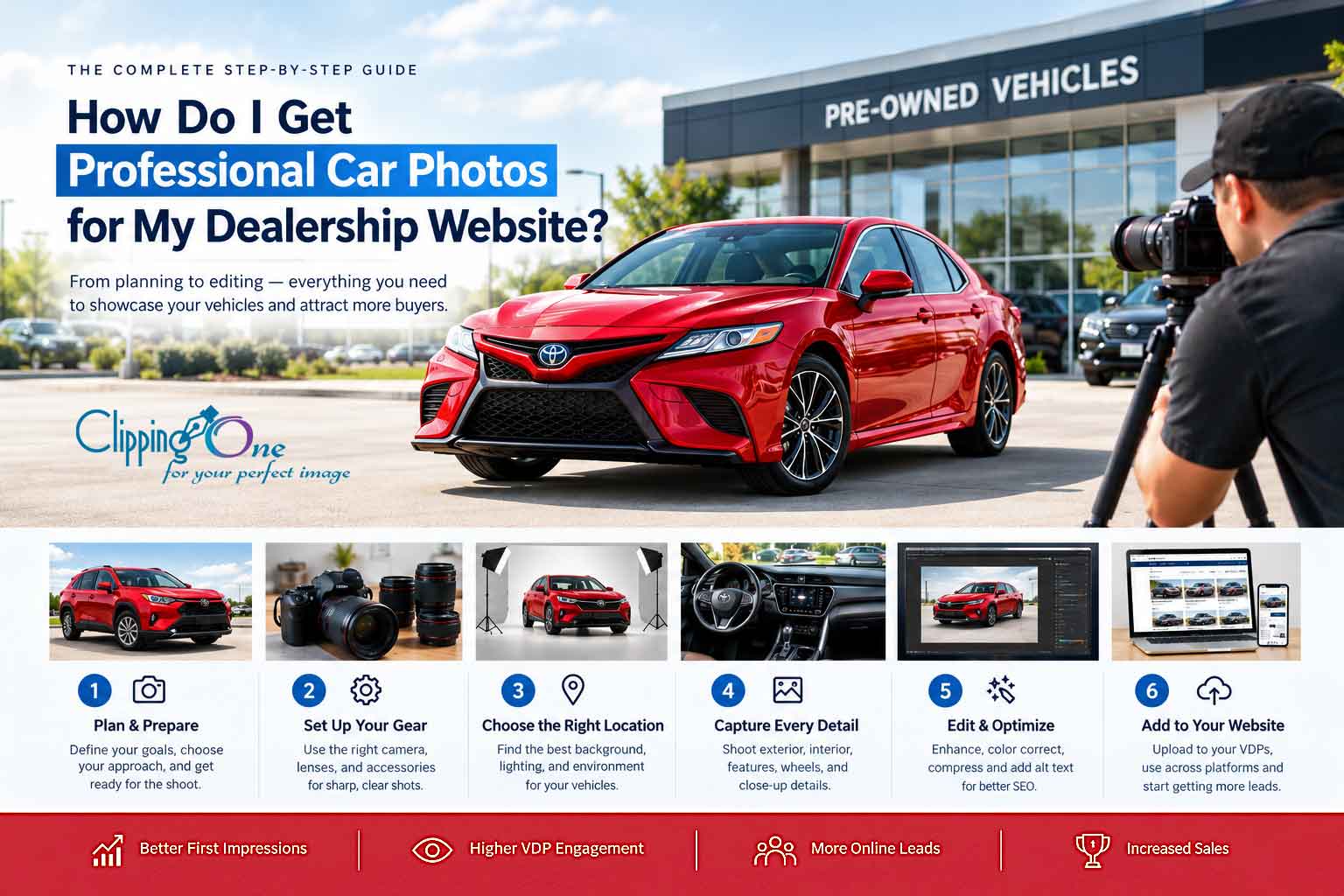
If you are wondering, “How do I get professional car photos for my dealership website?” the answer involves more than buying an expensive camera. You need a repeatable process that covers vehicle preparation, photography equipment, lighting, camera angles, interior details, image editing, and website optimization.
In this complete step-by-step guide, you will learn how to photograph your inventory, when to hire a professional automotive photographer, which equipment is worth investing in, and how professional car photo editing services can help you maintain consistent images across your dealership website.
Why Professional Car Photos Matter for Your Dealership Website
Imagine a potential buyer searching online for a used SUV. They find two dealerships offering similar vehicles at comparable prices. The first website displays clear exterior photos, detailed interior images, and consistent backgrounds. The second uses dark photographs, distracting backgrounds, and only a few pictures of each vehicle.
Which dealership makes the stronger first impression?
For many online shoppers, the dealership with better photographs will be more appealing because its inventory is easier to inspect and compare. Although photography alone cannot guarantee a sale, it helps communicate professionalism and gives buyers more information before they contact your sales team.
Today’s customers often begin their vehicle search online. They compare prices, mileage, vehicle condition, equipment, and photographs before deciding whether to visit a showroom or request a test drive. Your dealership website therefore needs to present every vehicle as clearly and accurately as possible.
Professional automotive imagery supports several important business goals:
- Builds buyer confidence: Clear images help customers evaluate a vehicle before visiting your dealership.
- Improves inventory presentation: Consistent photographs make your website look organized and professionally managed.
- Highlights vehicle features: Interior, exterior, and detail shots help shoppers understand what makes each vehicle valuable.
- Supports digital marketing: Quality images can be reused in vehicle listings, social media campaigns, email promotions, and advertisements.
- Strengthens your brand: A consistent visual style helps distinguish your dealership from competitors.
- Supports website engagement: Useful photographs give shoppers more reasons to explore vehicle detail pages and available inventory.
Professional photography should be considered an essential part of automotive merchandising rather than an optional marketing expense.
If your dealership already has a photography process but struggles with inconsistent lighting, distracting backgrounds, or time-consuming editing, explore Clipping Path One’s car photo editing services to learn how professional post-production can help standardize your vehicle images.
Understanding What “Professional” Car Photos Really Look Like
Professional car photos do not necessarily require dramatic lighting, luxury locations, or expensive camera equipment. For a dealership website, the primary objective is to show each vehicle accurately, clearly, and consistently.
A professional vehicle photograph should make it easy for shoppers to understand the car’s appearance, condition, proportions, and important features.
The Essential Characteristics of Professional Car Photos
1. Sharp, high-resolution images
Vehicle photographs should be sufficiently detailed for customers to inspect the exterior, upholstery, dashboard, wheels, and other important features. Avoid blurry images, excessive digital sharpening, or photographs that become pixelated when enlarged.
2. Accurate vehicle colors
Color accuracy matters because customers use photographs to understand what they are buying. A silver vehicle should not appear blue because of an incorrect white balance, and a black interior should retain its natural appearance rather than losing all detail in the shadows.
3. Clean and controlled backgrounds
A tidy dealership photo area or neutral background helps the vehicle stand out. Parked cars, rubbish bins, traffic, busy signage, and unrelated objects can distract customers from the vehicle itself.
4. Consistent camera angles
Photographing every vehicle from a similar set of angles creates a predictable browsing experience. Shoppers can compare different models more easily when the photographs follow a consistent structure.
5. Balanced lighting
Good lighting reveals body lines, paint condition, interior materials, and design details without producing distracting reflections or harsh shadows.
6. Honest representation
Professional images should accurately represent the vehicle being sold. Editing should improve presentation without concealing damage, changing equipment, or misleading buyers about the car’s actual condition.
What Makes a Good Car Photo for a Vehicle Detail Page?
A vehicle detail page, commonly called a VDP, is where shoppers review an individual vehicle’s photographs, specifications, price, mileage, and other information.
The main image should show the vehicle clearly, usually from a front three-quarter angle. Additional images should provide a complete visual overview of the exterior and interior.
A strong vehicle photo gallery typically includes:
- Front three-quarter view.
- Rear three-quarter view.
- Straight front view.
- Straight rear view.
- Driver-side and passenger-side profiles.
- Front and rear seating areas.
- Dashboard and infotainment system.
- Odometer and instrument cluster.
- Wheels, tires, and distinctive features.
- Cargo space, engine bay, or other relevant details.
- Accurate photographs of visible wear or damage.
The ideal number of photographs depends on the vehicle, the platform, and your dealership’s merchandising standards. The important thing is to provide enough useful images for buyers to evaluate the vehicle confidently.
DIY vs. Hiring a Pro: Which Option Is Best for Your Dealership?
Before investing in photography equipment, decide whether your dealership should photograph its inventory internally or work with a professional automotive photographer.
Both approaches can work. The best choice depends on inventory volume, available staff, turnaround requirements, photography skills, and budget.
Option 1: DIY Car Photography
Taking photographs in-house gives you direct control over the process. Your staff can photograph vehicles as soon as they are prepared for sale, making this approach useful for dealerships that want a flexible workflow.
Advantages include:
- Lower initial costs if you already have suitable equipment.
- Immediate access to vehicle photographs.
- Greater control over scheduling.
- The ability to photograph new inventory as it arrives.
- Opportunities to create additional marketing content.
However, DIY photography requires training, a consistent process, and time. Employees must prepare vehicles, select suitable locations, capture all required angles, transfer files, review image quality, and upload photographs.
When sales staff handle these tasks without a defined workflow, photography can become inconsistent or interfere with their primary responsibilities.
Option 2: Hiring a Professional Automotive Photographer
A professional automotive photographer understands how to capture vehicle proportions, manage reflections, control lighting, and produce consistent inventory images.
This option may be especially valuable for dealerships with large inventories, premium vehicles, strict visual standards, or limited internal resources.
Potential benefits include:
- Consistent photography across the inventory.
- Better control over lighting and reflections.
- More complete exterior and interior coverage.
- Less time spent training dealership employees.
- Access to specialized equipment and photography techniques.
- Professional images for vehicle listings and marketing campaigns.
The main considerations are cost, scheduling, service availability, and how quickly new inventory can be photographed.
Option 3: Use an In-House Photographer and Outsource Editing
A hybrid workflow can be an effective solution for dealerships that want to control photography while reducing post-production work.
Your employees capture the original photographs using a standard shot list. An external editing provider then handles tasks such as background cleanup, cropping, color correction, exposure adjustments, and image resizing.
This approach lets your dealership maintain control over vehicle preparation and photography while outsourcing repetitive editing tasks.
| Approach | Best suited for | Main consideration |
|---|---|---|
| DIY photography | Small dealerships with flexible schedules | Requires staff training and quality control |
| Professional photographer | Dealerships prioritizing consistent photography | Scheduling and service costs |
| Photography vendor | High-volume inventory operations | Vendor coverage and workflow integration |
| In-house photography plus outsourced editing | Dealerships seeking control and scalable post-production | Requires clear file-transfer and editing standards |
Practical recommendation: Start by calculating how much staff time is spent photographing and editing each vehicle. Compare that cost with professional photography packages and outsourced editing rates before deciding which workflow offers the best value.
Step 1: Work With a Professional Automotive Photographer
If you decide to hire a photographer, choose someone who understands dealership inventory photography rather than relying exclusively on general portrait or event photography experience.
Automotive photography has specific challenges. Reflective paint, curved body panels, glass surfaces, chrome trim, and large vehicle dimensions require careful positioning and lighting.
How to Find the Right Automotive Photographer
Begin by looking for photographers who regularly work with dealerships, automotive retailers, vehicle auction companies, or car manufacturers.
Review their portfolio and look for:
- Consistent framing across different vehicle types.
- Clear exterior and interior photographs.
- Accurate paint colors.
- Good handling of reflections.
- Clean backgrounds.
- Complete vehicle coverage.
- Reliable delivery schedules.
- Experience with dealership inventory systems.
Ask for examples of ordinary inventory photography, not only promotional photographs of luxury sports cars. Your dealership needs a repeatable service that works for everyday sedans, SUVs, trucks, vans, and other vehicles.
Questions to Ask Before Hiring
Before signing an agreement, ask the photographer:
- How many vehicles can you photograph per visit?
- How many final images are included per vehicle?
- Do you provide interior, exterior, and detail photographs?
- Are editing and image resizing included?
- How quickly will the photographs be delivered?
- Can you photograph vehicles indoors or during poor weather?
- Do you offer recurring inventory photography packages?
- Can you provide images in formats compatible with our website?
- Do you offer 360-degree vehicle photography or walkaround videos?
- Who owns the final images, and how may they be used?
Request a sample vehicle gallery before committing to a large project.
Prepare a Photography Brief
A written photography brief helps your photographer understand your expectations.
Specify the required angles, preferred background, lighting style, image dimensions, file format, naming conventions, and delivery deadline. Include instructions for photographing vehicle identification details and documenting visible imperfections when required.
A clear brief reduces repeated work and makes it easier to maintain dealership photo standards as your inventory grows.
Step 2: Consider Photography Services From Dealer Marketing Vendors
Some dealerships prefer to outsource the entire photography process to a specialized automotive merchandising provider.
These vendors may offer vehicle photography, image editing, inventory uploads, 360-degree spins, walkaround videos, and other digital merchandising services.
The benefit is convenience: one provider may manage several steps between vehicle preparation and online publication.
What to Evaluate in a Dealership Photography Service
When comparing providers, look beyond the advertised price per vehicle.
Evaluate the complete service, including:
- Coverage at your dealership location.
- Availability for newly acquired inventory.
- Photography turnaround time.
- Number and type of images delivered.
- Image editing and quality assurance.
- Compatibility with your dealership management system.
- Automated image uploads, where supported.
- Availability of 360-degree imagery and video.
- Service consistency across multiple locations.
- Support arrangements if images are missing or incorrect.
For larger dealerships, the ability to process inventory consistently may matter more than choosing the cheapest individual photography package.
Are 360-Degree Car Photos Worth It?
A 360-degree vehicle presentation lets shoppers explore the exterior from multiple viewpoints. Some services also provide interior tours or interactive viewing experiences.
These formats can be useful for online-first dealerships, premium inventory, and customers who cannot easily visit the showroom.
However, interactive photography requires additional equipment, production time, hosting, and platform compatibility. Begin with a strong standard photo gallery, then evaluate whether 360-degree content adds enough value for your customers.
Step 3: Build a DIY Photography Setup With the Right Equipment
If you plan to photograph vehicles internally, you do not need to purchase every piece of professional equipment immediately.
Start with a reliable camera or smartphone, a suitable lens, a tripod when needed, and a consistent location. Upgrade your equipment only when it solves a genuine problem in your workflow.
What Camera Is Best for Car Photography?
A modern mirrorless or DSLR camera with manual exposure controls provides flexibility over shutter speed, aperture, ISO, and white balance.
A camera with good dynamic range can help preserve details in bright paintwork and darker interior areas. However, technique and lighting usually matter more than simply buying the most expensive camera.
A modern smartphone can also produce useful dealership photographs when the lighting is good, the lens is clean, and the photographer avoids excessive digital zoom.
For a small dealership, a smartphone may be a practical starting point. Larger operations that need more control over reflections, exposure, and image quality may benefit from a dedicated camera system.
Choose a Suitable Lens
A standard or moderate wide-angle lens can capture the full vehicle while maintaining realistic proportions.
Avoid using an extremely wide lens too close to the vehicle. It may distort the front bumper, stretch the wheels near the edges, or make the vehicle look unusually long.
For most dealership photography, the priority is not dramatic distortion but a clear, balanced view of the entire vehicle.
Useful Photography Accessories
Consider these items:
- Tripod: Helps maintain repeatable framing and supports consistent exposure.
- Circular polarizing filter: Can reduce some reflections on glass and paint, depending on the angle of the light.
- Microfiber cloth: Keeps lenses, screens, and vehicle surfaces clean.
- Portable lighting: Useful for controlled indoor photography, although large reflective vehicles require careful light placement.
- Reflectors or diffusers: Help manage harsh light in suitable setups.
- Extra batteries and memory cards: Prevent interruptions during busy inventory sessions.
- Computer or tablet: Useful for reviewing images and checking whether the entire shot list has been captured.
Do not buy a complicated lighting system before deciding where your vehicles will be photographed. A well-chosen location and consistent natural light may provide better results for a modest budget.
Step 4: Choose the Right Location, Background, and Lighting
The photography location has a significant effect on the final appearance of your inventory.
Even an expensive camera cannot fully compensate for a cluttered background, harsh reflections, or poor lighting.
Choose a Consistent Background
Suitable locations include:
- A clean dealership photography bay.
- A spacious covered parking area.
- A quiet section of the dealership lot.
- A neutral outdoor location with limited background distractions.
- A professionally designed vehicle photo booth.
Choose a location where vehicles can be positioned safely and where the background will not change dramatically between sessions.
A neutral gray or white background can create a clean merchandising style. A real dealership environment can also work if it is tidy and visually consistent.
Indoor vs. Outdoor Car Photography
Indoor photography offers more control over weather and ambient light. It can be especially useful for dealerships with a dedicated photography bay.
Outdoor photography may require less investment and allow vehicles to be photographed quickly, but direct sunlight can produce strong reflections and harsh shadows.
If you photograph outdoors, try working in open shade or during softer daylight. Avoid mixed lighting that creates different color temperatures across the vehicle.
How to Reduce Reflections on Car Paint
Cars have large reflective surfaces, so they naturally pick up nearby buildings, trees, signs, and people.
To reduce distracting reflections:
- Position the vehicle away from busy surroundings.
- Look at the paintwork before taking the photograph.
- Move the camera or vehicle slightly to improve the reflection.
- Use diffused light where practical.
- Avoid including unnecessary objects in glossy body panels.
- Review the image at full size before moving to the next angle.
Reflections are not always defects. Natural reflections help communicate the shape and finish of a vehicle. The goal is to control distracting reflections without making the paint look artificial.
Step 5: Prepare Every Vehicle Before Photography
Vehicle preparation should happen before the camera comes out.
Dust, fingerprints, water spots, and clutter can reduce the quality of even a well-composed photograph. Interior cleanliness is equally important because customers want to inspect the cabin, seats, dashboard, and storage areas.
Use the following preparation checklist:
- Wash and dry the vehicle.
- Remove temporary price signs unless they are part of your approved merchandising process.
- Clean windows, mirrors, wheels, and visible trim.
- Remove rubbish and personal belongings from the interior.
- Arrange seats and headrests consistently.
- Clean the dashboard and infotainment screen.
- Check tire presentation and wheel alignment.
- Position the steering wheel consistently where appropriate.
- Remove distracting objects from the surrounding area.
- Check that the vehicle is safely parked and ready to photograph.
Do not spend excessive time making every used vehicle appear brand new. The objective is to present the vehicle professionally while accurately representing its condition.
For vehicles with noticeable wear, dents, scratches, or other relevant imperfections, follow your dealership’s disclosure policies and applicable listing requirements.
Step 6: Photograph the Exterior From Angles That Help Sell
The exterior gallery should provide a complete, understandable view of the vehicle.
Start with the most visually informative angle, then capture the remaining views in a consistent order.
1. Front Three-Quarter View
This is often the strongest main image for a dealership listing because it shows the front of the vehicle and one side simultaneously.
Position the camera around headlight height or slightly above, depending on the vehicle and desired presentation. Leave enough space around the vehicle so the image does not feel cramped.
Make sure the front bumper, grille, headlights, hood, and visible wheels are clearly shown.
2. Rear Three-Quarter View
The rear three-quarter angle shows the tailgate or trunk, rear bumper, taillights, and side profile.
This photograph is particularly useful for SUVs, hatchbacks, pickup trucks, and vehicles with distinctive rear designs.
3. Straight Front and Rear Views
Straight-on photographs make it easier for shoppers to inspect the grille, headlights, bumper design, tailgate, and rear lighting.
Keep the camera level and centered. Avoid positioning the camera so low that the vehicle’s proportions become distorted.
4. Side Profile
Capture both sides when possible.
Side-profile images reveal the vehicle’s proportions, door design, body lines, wheels, and overall condition. They are especially helpful when shoppers compare sedans, SUVs, and trucks of different sizes.
5. Wheels, Tires, and Distinctive Exterior Features
Photograph alloy wheels, tire condition, roof rails, sunroofs, towing equipment, charging ports, and other features that may influence a buyer’s decision.
For electric vehicles, show relevant charging equipment or charging-port details when available. For pickup trucks, capture the bed, tailgate, and towing-related features when relevant.
6. Damage and Condition Details
Photograph notable scratches, dents, worn trim, or other material imperfections when required by your dealership’s disclosure standards.
Clear condition photographs can help set accurate expectations and reduce surprises during an in-person inspection.
Recommended Exterior Photography Order
| Image order | Photograph | Purpose |
|---|---|---|
| 1 | Front three-quarter | Main listing image |
| 2 | Rear three-quarter | Shows rear and side styling |
| 3 | Straight front | Displays grille and front condition |
| 4 | Straight rear | Displays rear condition |
| 5–6 | Both side profiles | Shows proportions and body panels |
| 7–9 | Wheels, lights, and special features | Highlights important details |
| 10 onward | Additional condition images | Documents relevant features or imperfections |
This is a starting template rather than a fixed requirement. Adjust the sequence to your inventory type and listing platform.
Step 7: Photograph the Interior and Features Customers Care About
Interior photographs are essential because they show customers how the vehicle looks and what equipment it includes.
A vehicle may have attractive exterior styling, but shoppers also want to understand the seating, controls, infotainment system, storage, and general cabin condition.
Essential Interior Shots
Dashboard and steering wheel: Capture the dashboard from a balanced angle that shows the steering wheel, instrument panel, center console, and general cabin layout.
Infotainment screen: Photograph the display clearly. Avoid glare that makes the screen unreadable. Do not alter displayed information to imply features that are not present.
Front seats: Show upholstery, seat condition, adjustment controls, and visible wear.
Rear seating: Capture the available seating area, legroom, headrests, and upholstery.
Odometer and instrument cluster: Photograph the displayed mileage when appropriate. Make sure the number is legible and matches the vehicle’s actual displayed reading.
Cargo area: Photograph the trunk, hatchback storage area, or truck bed to show usable space.
Additional equipment: Capture features such as climate controls, panoramic roofs, seat heating controls, charging ports, advanced driver-assistance displays, and other relevant equipment.
How to Photograph Dark Interiors
Dark interiors can be challenging because the cabin may appear underexposed while the windshield and windows are bright.
Try these techniques:
- Photograph the vehicle in soft, balanced lighting.
- Open doors when necessary to improve visibility.
- Avoid direct sunlight entering one side of the cabin.
- Use exposure compensation or manual exposure controls.
- Keep the camera steady when using slower shutter speeds.
- Review the dashboard and seat details before finishing.
If the interior still appears too dark, moderate editing can recover some shadow detail. However, severely underexposed images may not contain enough information to restore a natural appearance.
Step 8: Standardize Photography Across Your Entire Inventory
Consistency is one of the most overlooked parts of dealership photography.
Imagine a vehicle listing with a white background, followed by another with a crowded parking lot, then a third with a dramatically different camera angle. The gallery may look disorganized even if each photograph is individually acceptable.
A standardized workflow helps make your dealership’s online inventory easier to browse.
Create a Dealership Photography Guide
Document the following standards:
- Photography location and background.
- Camera height and approximate distance.
- Required exterior angles.
- Required interior photographs.
- Image orientation and framing.
- Preferred lighting conditions.
- File naming conventions.
- Editing requirements.
- Minimum image quality.
- Website image dimensions and file formats.
- Final quality-control responsibilities.
Use a sample vehicle gallery as your reference. Employees and external vendors should be able to reproduce the same style for different makes, models, colors, and vehicle sizes.
Standardize the Main Image
The main vehicle photograph is often the first image a shopper sees in inventory search results.
Choose a consistent hero-image style. This might be a front three-quarter view against a neutral background, with the entire vehicle visible and enough space around it.
Avoid inconsistent cropping, excessive empty space, and images where part of the bumper or rear of the vehicle is cut off.
Maintain Consistency Without Making Every Car Look Identical
Standardization should improve the browsing experience, not hide differences between vehicles.
A convertible may require its roof to be photographed in different positions to show its features. A pickup truck may need additional bed photographs. An electric vehicle may require charging-related details.
Use the same basic photography structure while adapting the gallery to the vehicle’s specific features.
Step 9: Edit, Retouch, and Optimize Car Photos for the Web
Capturing the photographs is only part of the process. Post-production helps make the images consistent, clear, and suitable for your dealership website.
Editing is particularly valuable when your inventory is photographed by multiple employees, captured in different lighting conditions, or delivered by multiple photographers.
Essential Car Photo Editing Tasks
Exposure correction: Adjust brightness so the vehicle is clearly visible without losing important highlights.
White balance and color correction: Keep vehicle paint colors and interior materials as accurate as possible.
Straightening and cropping: Correct tilted horizons and remove unnecessary empty space while keeping the entire vehicle visible.
Background cleanup: Remove distracting objects or standardize the surroundings when appropriate and permitted.
Shadow and highlight adjustments: Recover useful details in darker and brighter areas without making the image look unnatural.
Dust and spot cleanup: Correct temporary dust spots or minor photographic distractions where this does not misrepresent the vehicle’s condition.
Image resizing: Prepare photographs for the dealership website, inventory platforms, and marketing channels.
File compression: Reduce file sizes while preserving sufficient image quality for a smooth browsing experience.
Should You Remove the Background From Car Photos?
Background removal can be useful when your dealership wants a uniform presentation across a large inventory.
A clean, neutral background may help vehicles stand out in inventory grids and promotional layouts. It can also reduce the visual impact of inconsistent photography locations.
However, background removal must be handled carefully.
Automobiles contain complex edges, including mirrors, antennas, windows, wheels, grilles, and curved body panels. Poor masking can create halos, remove fine details, or make the vehicle appear pasted onto the background.
A professional editing workflow should preserve these details and maintain natural-looking edges and shadows.
It is also important to use backgrounds that comply with your website, marketplace, manufacturer, and advertising requirements. Do not imply that a vehicle was photographed in a location where it was not, or remove contextual information when doing so would mislead the customer.
When Should You Outsource Car Photo Editing?
Outsourcing can be helpful when your dealership photographs more vehicles than your internal team can efficiently process.
Consider outsourcing if:
- Employees spend too much time editing photographs.
- Vehicle backgrounds look inconsistent.
- Paint colors vary between listings.
- Large inventory batches need processing.
- You need standardized crops and dimensions.
- Your marketing team requires images on a predictable schedule.
- Your team wants to focus on photography and sales rather than repetitive post-production.
A specialized provider can establish editing rules and apply them consistently across large batches.
Clipping Path One’s car photo editing services can be considered for dealership teams looking for support with vehicle image cleanup, background work, color correction, and consistent presentation.
Before outsourcing a large batch, request sample edits and agree on the expected style. Confirm how the provider handles reflections, shadows, vehicle edges, paint color, visible damage, and file delivery.
Web Image Optimization: Make Photos Load Faster
Large image files can slow down vehicle detail pages, especially for visitors using mobile devices or slower internet connections.
To improve website performance:
- Resize images to the dimensions actually needed by the website.
- Avoid uploading unnecessarily large original files.
- Use modern formats such as WebP or AVIF when supported by your website platform.
- Preserve enough resolution for customers to inspect vehicle details.
- Use responsive images when your website supports them.
- Compress images without introducing visible artifacts.
- Use lazy loading for appropriate below-the-fold images.
- Keep the main visible image fast to load.
Do not reduce image quality so aggressively that paintwork, dashboard displays, or vehicle condition details become difficult to inspect.
Add Descriptive Alt Text
Alt text helps communicate the content of an image to people using screen readers and can help search engines understand the image.
Write descriptive, natural alt text for important vehicle images.
Examples:
Front three-quarter view of a blue 2023 Toyota Camry sedanInterior dashboard and infotainment screen of a used Honda CivicRear cargo area of a black midsize SUV
Use the correct make, model, year, color, and view when those details are known. Avoid filling alt text with repeated keywords or including specifications that have not been verified.
For example, a phrase such as “best car photography services, professional car photos, dealership car pictures” is less useful than a direct description of the actual image.
Step 10: Use AI and Photography Apps to Improve Efficiency
AI-powered tools and photography applications can help dealership teams streamline repetitive tasks. However, these tools should support accurate merchandising rather than replace good photography judgment.
AI Background Removal
Background-removal tools can isolate a vehicle from its surroundings and place it against an approved background.
This may be useful when a dealership photographs vehicles at multiple locations or wants a consistent appearance across inventory listings.
Always inspect the result around mirrors, antennas, wheels, windows, and other fine details. Automatic tools can make mistakes, particularly when the vehicle and background have similar colors.
Automatic Image Enhancement
Some applications automatically adjust exposure, contrast, white balance, and sharpness.
These tools can improve workflow speed, but automatic corrections may vary between photographs. Review the results to ensure that black vehicles retain their details, white vehicles do not lose their body lines, and paint colors remain accurate.
Batch Editing
Batch editing applies the same adjustments to multiple photographs.
It is particularly helpful for repetitive tasks such as:
- Resizing images.
- Converting file formats.
- Applying consistent sharpening.
- Standardizing crops.
- Correcting similar exposure issues.
- Renaming files.
- Preparing images for upload.
Batch editing works best when the original photographs have similar lighting and composition. Images captured in very different conditions may require individual adjustments.
Can AI Create Virtual Showroom Images?
Some tools can place a vehicle against a simulated background or generate a more polished presentation.
Before using these tools for sales inventory, confirm that the resulting images comply with applicable marketplace policies and advertising rules. Make sure the imagery does not misrepresent the vehicle’s condition, features, color, or actual appearance.
For vehicle listings, accurate photographs should remain the foundation of the gallery. AI can improve presentation, but it should not invent features or conceal relevant defects.
Step 11: Upload and Organize Professional Photos on Your Website
Once your photographs are ready, organize them so customers can find important information quickly.
A professional photo gallery should tell a visual story: first introduce the vehicle, then show its exterior, explain the interior, highlight important equipment, and document relevant condition details.
Recommended Vehicle Detail Page Photo Order
Consider this sequence:
- Front three-quarter hero image.
- Rear three-quarter view.
- Opposite front or side angle.
- Straight front view.
- Straight rear view.
- Driver-side profile.
- Passenger-side profile.
- Dashboard and steering wheel.
- Infotainment system and center console.
- Front seats.
- Rear seats.
- Odometer and instrument cluster.
- Cargo area.
- Wheels and tires.
- Additional features and condition details.
Adapt the order to your inventory and the requirements of the website or listing platform.
Use the Same Images Across Your Marketing Channels
Your dealership may need photographs for its website, third-party vehicle listings, social media, email marketing, and digital advertising.
Maintain a master image folder for each vehicle. Keep the original photographs, approved edited files, and platform-specific versions organized separately.
This makes it easier to update listings and reduces the risk of using an outdated or incorrectly edited image.
Optimize Homepage Banners and Promotional Images
Homepage banners often need wider compositions than standard vehicle listing photographs.
Choose images that fit the banner dimensions and leave appropriate space for text or promotional messaging. Check how the banner appears on both desktop and mobile screens.
Use promotional images to feature actual inventory, seasonal campaigns, or dealership services. Ensure that vehicle availability and advertised offers remain accurate.
Confirm Marketplace Requirements
Third-party listing platforms may have specific image dimensions, format restrictions, branding rules, or background requirements.
Check the current requirements of each platform before preparing your images. Do not assume that a photograph suitable for your own website automatically meets every external listing standard.
Step 12: Avoid Common Car Photography Mistakes
Even dealerships with good cameras and capable staff can lose image quality through avoidable mistakes.
Mistake 1: Photographing Dirty Vehicles
Dust, fingerprints, water spots, and clutter make vehicles appear poorly prepared.
Solution: Introduce a quick cleaning and inspection process before every photography session.
Mistake 2: Using Busy Backgrounds
Other vehicles, signage, buildings, and people can distract from the featured car.
Solution: Select a consistent photography location and keep the surrounding area organized.
Mistake 3: Photographing in Harsh Sunlight
Strong sunlight can create blown highlights, deep shadows, and distracting reflections.
Solution: Use softer daylight, open shade, or controlled indoor lighting where practical.
Mistake 4: Using Too Few Images
A single exterior photograph cannot communicate the complete condition and features of a vehicle.
Solution: Follow a standard shot list covering the exterior, interior, equipment, and relevant condition details.
Mistake 5: Inconsistent Angles and Cropping
Different framing styles can make the inventory look disorganized.
Solution: Establish a photography guide with repeatable angles and consistent image proportions.
Mistake 6: Overediting the Vehicle
Excessive saturation, artificial reflections, aggressive sharpening, or unrealistic color changes can make the vehicle look different from its real appearance.
Solution: Apply restrained corrections and prioritize accuracy.
Mistake 7: Hiding Damage
Removing a meaningful scratch or dent from a listing image can create misleading expectations.
Solution: Keep condition information accurate and follow applicable disclosure and advertising requirements. Do not use editing to conceal material defects.
Mistake 8: Uploading Huge, Unoptimized Files
Oversized images may slow down vehicle detail pages and frustrate mobile users.
Solution: Resize and compress images while maintaining enough detail for inspection.
Mistake 9: Forgetting Image Quality Control
Missing angles, incorrect vehicle images, and inconsistent edits can slip into the website when no one reviews the final gallery.
Solution: Assign responsibility for a final inspection before the listing goes live.
Mistake 10: Ignoring Manufacturer and Marketplace Rules
Certain brands, platforms, and advertising arrangements may have requirements for logos, backgrounds, disclaimers, or promotional imagery.
Solution: Review relevant policies and obtain permission when necessary. Never imply manufacturer endorsement without authorization.
Step 13: Measure Whether Your Photography Process Is Working
Professional car photography should be evaluated as part of your broader inventory merchandising strategy.
Instead of assuming that better photographs automatically increase sales, monitor relevant metrics before and after introducing improvements.
Key Metrics to Track
Vehicle detail page engagement: Review how visitors interact with individual vehicle listings.
Photo gallery interactions: Where analytics support it, measure whether visitors open additional images or spend more time exploring the gallery.
Lead conversion rate: Track inquiries, test-drive requests, and other meaningful actions relative to vehicle page traffic.
Time to publish inventory: Measure how long it takes to move a vehicle from arrival to a complete, published listing.
Photography cost per vehicle: Include staff time, equipment, editing, vendor charges, and rework.
Image rejection or correction rate: Monitor how often images must be replaced because of missing views, poor quality, or incorrect information.
Page performance: Check loading speed and image-related performance on desktop and mobile devices.
Compare similar vehicles and similar time periods where possible. Changes in pricing, inventory demand, seasonality, advertising, and website design can also influence results.
A well-managed photography process should aim to improve image quality, reduce rework, support accurate listings, and help customers explore inventory more easily.
A Practical Car Photography Checklist for Dealerships
Use this checklist whenever a vehicle is prepared for online publication.
Before the Shoot
- Confirm the correct vehicle and inventory details.
- Clean the exterior, windows, wheels, and interior.
- Remove rubbish and unrelated personal items.
- Select the approved photography location.
- Check lighting, reflections, and background distractions.
- Prepare the camera or smartphone.
- Review the required shot list.
During the Shoot
- Capture a front three-quarter hero image.
- Photograph both sides and the rear.
- Capture front and rear straight-on views.
- Photograph the dashboard and infotainment system.
- Capture front and rear seats.
- Photograph the odometer when appropriate.
- Capture cargo space and important features.
- Document relevant damage or visible wear.
- Check focus, exposure, and framing.
- Confirm that no required images are missing.
During Editing
- Correct exposure and white balance.
- Keep vehicle colors accurate.
- Straighten and crop consistently.
- Remove only appropriate photographic distractions.
- Check masking edges if backgrounds are replaced.
- Preserve relevant condition details.
- Resize and compress images for the website.
- Add descriptive alt text where appropriate.
Before Publishing
- Confirm the photographs match the correct vehicle.
- Check the main image and gallery order.
- Verify image quality on desktop and mobile.
- Confirm that the images comply with platform requirements.
- Check for missing or duplicate photographs.
- Review the complete listing before it goes live.
Frequently Asked Questions About Professional Car Photos for Dealership Websites
How do I get professional car photos for my dealership website?
Start by establishing a consistent photography process. Prepare each vehicle, select a clean location, use suitable equipment, and capture a standard set of exterior and interior photographs. Edit the images for accurate color, exposure, cropping, and website performance. You can handle these tasks internally, hire an automotive photographer, use a dealership photography vendor, or outsource post-production to a professional car photo editing company.
How much does professional car photography cost?
The cost depends on your location, number of vehicles, number of photographs per vehicle, travel requirements, editing needs, and whether you purchase a recurring service package.
DIY photography may have lower direct costs if you already own suitable equipment, but staff time and training still matter. Professional photographers and vendors may charge per vehicle, per visit, or through a recurring contract. Request itemized quotes and compare the total cost of delivering a complete, publishable vehicle gallery.
Can I use my smartphone to photograph dealership inventory?
Yes. A modern smartphone can produce suitable vehicle listing photographs when you use good lighting, keep the lens clean, avoid excessive digital zoom, and maintain consistent framing. A dedicated camera can provide greater control over exposure and lenses, but an organized workflow and careful technique are often more important than the device alone.
What is the best angle for a car dealership photo?
The front three-quarter angle is a strong choice for the main vehicle image because it shows the front and one side together. However, a complete gallery should also include rear views, both side profiles, interior photographs, and important vehicle details.
How many photos should I include on each vehicle listing?
There is no single ideal number for every vehicle or platform. A practical starting point is approximately 15–30 useful photographs for a typical vehicle, with more images when needed to document special features, equipment, or condition. Check the requirements of your listing platform and prioritize useful coverage over repetitive images.
Should I remove the background from dealership car photos?
Background removal can create a consistent inventory presentation and reduce distractions. It works best when the vehicle edges are carefully preserved and the replacement background looks natural. Follow applicable platform requirements and avoid changes that mislead buyers about the vehicle’s actual condition or appearance.
How can I make my dealership car photos look consistent?
Create a written photography guide covering location, background, lighting, camera position, required angles, cropping, image dimensions, and editing standards. Use a sample gallery as a reference and review new images before publishing them.
What is the best image format for car dealership websites?
JPEG is widely compatible and can work well for photographic content. WebP and AVIF may provide smaller file sizes at comparable visual quality when your website platform supports them. Choose the format based on your website’s capabilities and test the results on desktop and mobile devices.
Does professional car photo editing help with SEO?
Image editing can support SEO indirectly by helping you produce properly sized, well-presented images that load efficiently. Descriptive alt text, relevant page content, mobile-friendly presentation, and good website performance are also important. Editing alone does not guarantee higher search rankings.
Can a car photo editing company process hundreds of dealership images?
Many professional image editing providers offer batch-processing workflows for large volumes of photographs. Before committing, confirm their capacity, turnaround time, quality-control process, file-transfer method, pricing, and ability to follow your dealership’s editing standards. A sample batch is a useful way to evaluate the service.
Is AI car photo editing suitable for used car dealerships?
AI tools can help with background removal, image enhancement, resizing, and repetitive editing tasks. However, automated results need review to ensure they preserve accurate vehicle colors, edges, equipment, and condition details. AI should not invent features or conceal defects.
How often should dealership vehicle photos be updated?
Update photographs whenever the vehicle’s appearance, condition, equipment, or listing information changes in a way that makes the existing images inaccurate. You should also replace photographs that are outdated, incomplete, or inconsistent with your current merchandising standards.
Should I outsource car photo editing or do it in-house?
The decision depends on your inventory volume, internal skills, turnaround requirements, and total cost. In-house editing provides direct control, while outsourcing can reduce repetitive work and help standardize large image batches. Test a small batch and compare quality, turnaround time, and total cost before making a long-term decision.
A Simple Plan to Start Getting Professional Car Photos for Your Dealership Website Today
Getting professional car photos for your dealership website does not have to be complicated. The most effective approach is to establish a repeatable process that covers vehicle preparation, photography, editing, quality control, and website publishing.
You do not need to invest in an expensive studio immediately. Start with a clean photography location, suitable equipment, a standard shot list, and clear image quality requirements. Capture the exterior, interior, important features, and relevant condition details for every vehicle.
Next, establish consistent editing standards. Correct exposure and color, keep backgrounds organized, prepare images for fast website loading, and use descriptive alt text where appropriate. Review every gallery before publication to ensure the images match the correct vehicle and accurately represent its condition.
As your inventory grows, evaluate whether professional photography, dealer marketing vendors, or outsourced image editing would help your team work more efficiently.
For dealerships that already capture their own vehicle images but need a more consistent final presentation, professional post-production can be a practical next step. Background cleanup, color correction, cropping, and batch image processing can help bring photographs from different sessions into a more unified visual style.
Explore Clipping Path One’s car photo editing services to see how professional image editing may support your dealership’s inventory photography workflow.
Your next step: Choose one vehicle, photograph it using a complete shot list, edit the images to your preferred standards, and review the finished gallery on your website. Once you have a process that works, document it and repeat it across your inventory.
Better vehicle photography helps customers see what you offer, understand the vehicles more clearly, and take the next step toward contacting your dealership. Combined with accurate listings, competitive pricing, and responsive customer service, it can become a valuable part of your online sales strategy.