How Many Product Images Does Your Ecommerce Store Actually Need? The Data-Driven 2026 Guide
Your apparel product image count directly controls your online sales. Most fashion stores need seven to ten high-quality images per product to maximize revenue. This specific number reduces customer hesitation and significantly boosts buyer trust. It is crucial. When you provide a comprehensive visual narrative, potential customers feel a profound sense of confidence that compels them to finalize their purchases without hesitation. Summary: An optimal image count directly translates to higher conversion rates for fashion brands.
Shoppers cannot touch your digital products. Visuals must completely replace the physical fitting room experience. A low image count leaves too many unanswered questions about fabric and fit. You must provide enough visual data to close the sensory gap. Quality apparel product photography gives buyers the exact details they need to trust your brand and click the buy button. Summary: Robust visual galleries replace physical touch in digital commerce.
The Sensory Gap: Why Image Count Drives Sales
Online shoppers rely entirely on your photos to feel the product. They need extreme close-ups of textures to make an informed choice. Missing angles kill online sales. By showcasing every intricate detail of the garment from multiple perspectives, you effectively eliminate the friction that causes cart abandonment. It matters immensely. Summary: Extensive product photos bridge the gap between digital browsing and physical reality.
When evaluating a new catalog, many retailers underestimate the power of visual proof. They upload two or three basic shots and hope for the best. That costs real money in lost conversions. Shoppers demand to see how a garment drapes, moves, and fits on a real human body before committing to a purchase. Do not skimp on visuals. Summary: Providing abundant visual proof is essential for preventing lost sales.
Why Better Images Slash Returns – And Boost Conversions
High-quality images set accurate buyer expectations. Clear photos show true colors and exact fabric textures. When buyers get what they expect, they do not return items. Providing an accurate apparel product image count ensures that your customers are never surprised when they finally open their delivery boxes. Happy customers return to buy again. Summary: Accurate product imagery drastically reduces costly ecommerce return rates.
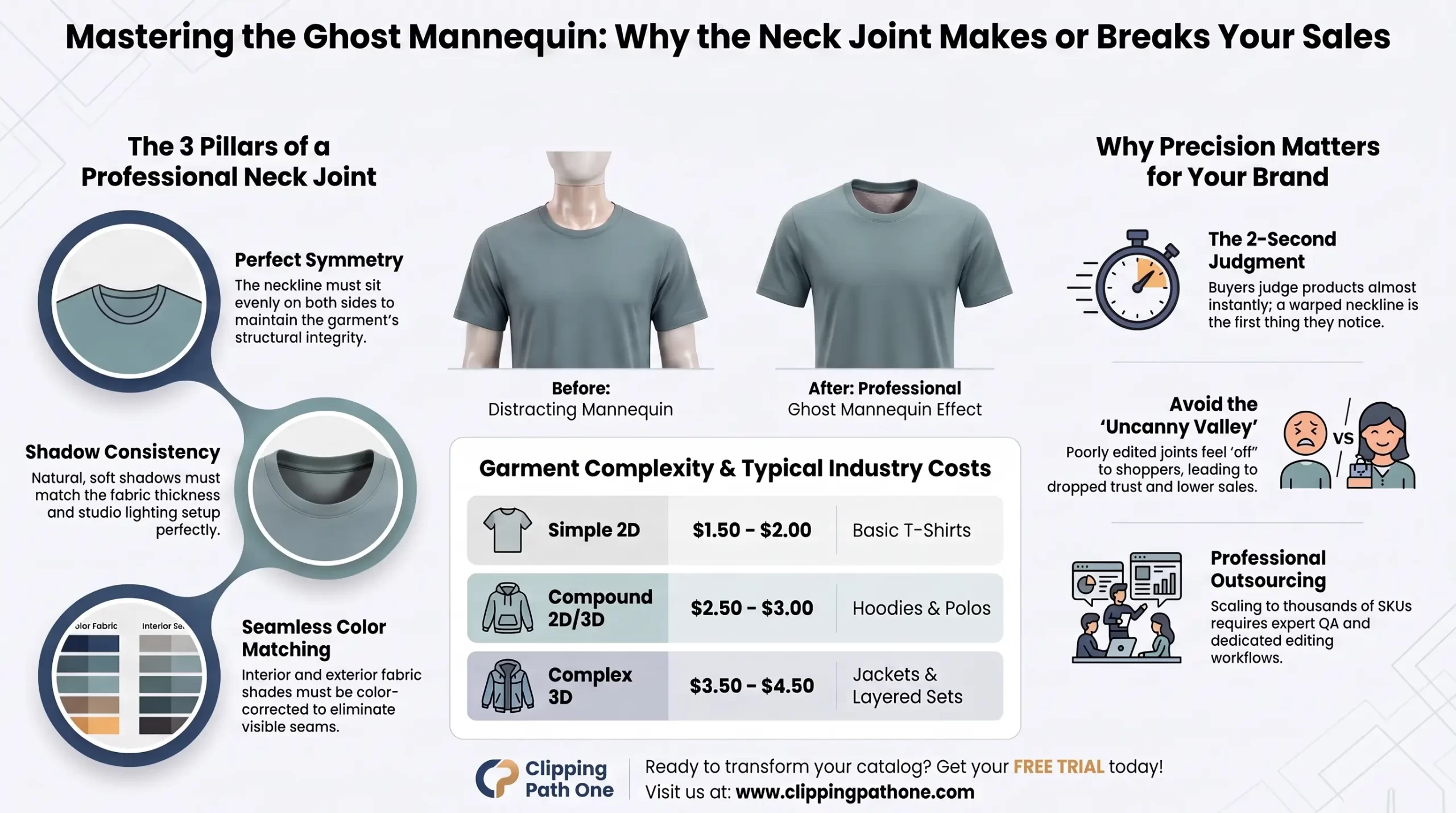
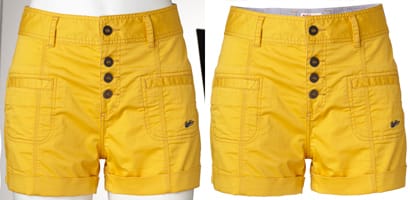
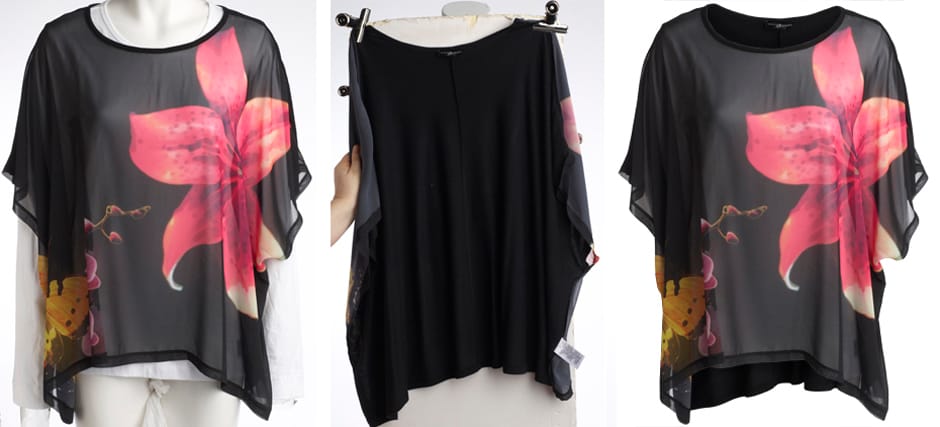
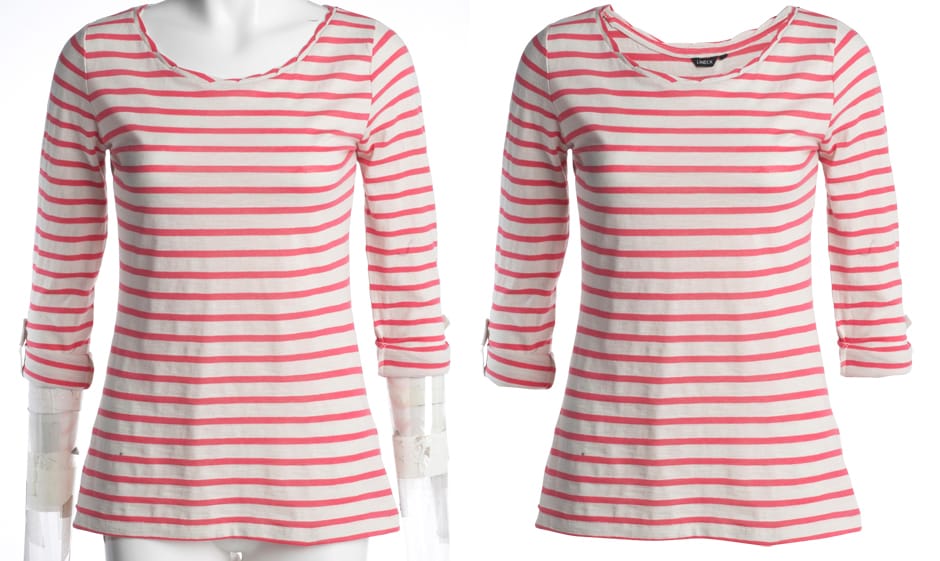
To get perfect shots, many top brands use Clipping Path One for expert image editing. Professional editing makes colors pop and removes distracting backgrounds. It elevates your brand. A polished, cohesive visual presentation signals to your audience that you operate a premium, trustworthy business that values quality. Professionalism wins trust. Summary: Expert photo editing is a necessary investment for serious ecommerce brands.
From Data to Action: The Optimal Image Count by Product Type
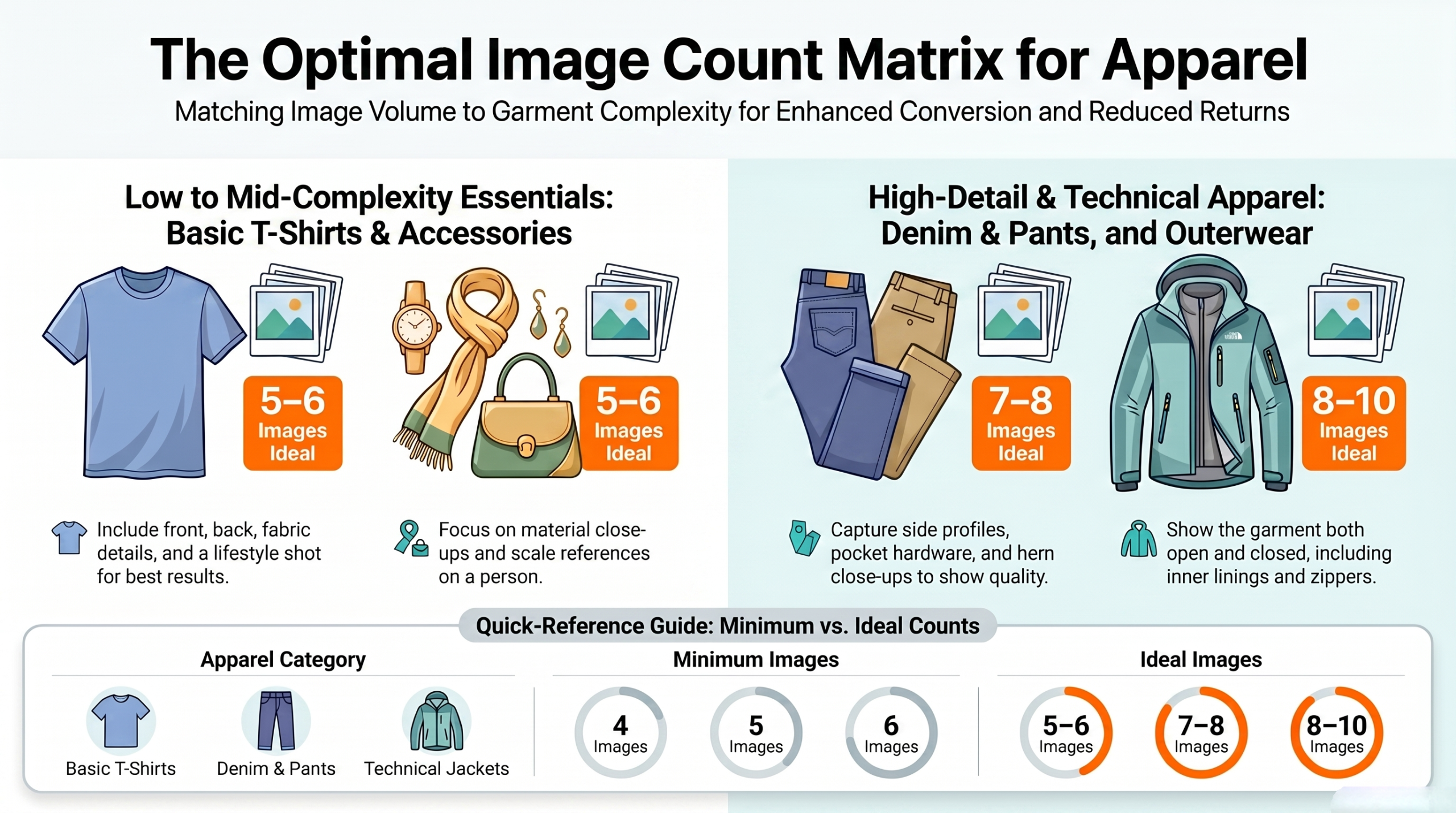
Different clothing items require varying visual data points to sell effectively. A simple t-shirt needs fewer photos than a complex winter jacket. You must adapt your strategy. Basic items can convert well with five images, but high-ticket technical apparel demands eight to ten shots to justify the premium price tag. Match your effort to the item. Summary: Customize your photo count based on the complexity of the garment.
| Product Category | Minimum Images | Ideal Image Count | Key Angles Required |
| Basic T-Shirts | 4 | 5 – 6 | Front, Back, Detail, Lifestyle |
| Denim & Pants | 5 | 7 – 8 | Front, Back, Side, Pocket detail, Hem |
| Outerwear | 6 | 8 – 10 | Front open, Front closed, Lining, Hardware |
| Accessories | 3 | 5 – 6 | Scale reference, Material close-up, Worn |
Using tables helps organize your production schedule. Pages with clear numbers guide your creative team effectively. You know exactly what to shoot. By establishing a rigid baseline for every product category in your catalog, you ensure visual consistency across your entire website. Consistency builds buyer confidence. Summary: Standardizing photo counts by category streamlines production and builds trust.
The Seven Angles That Convert
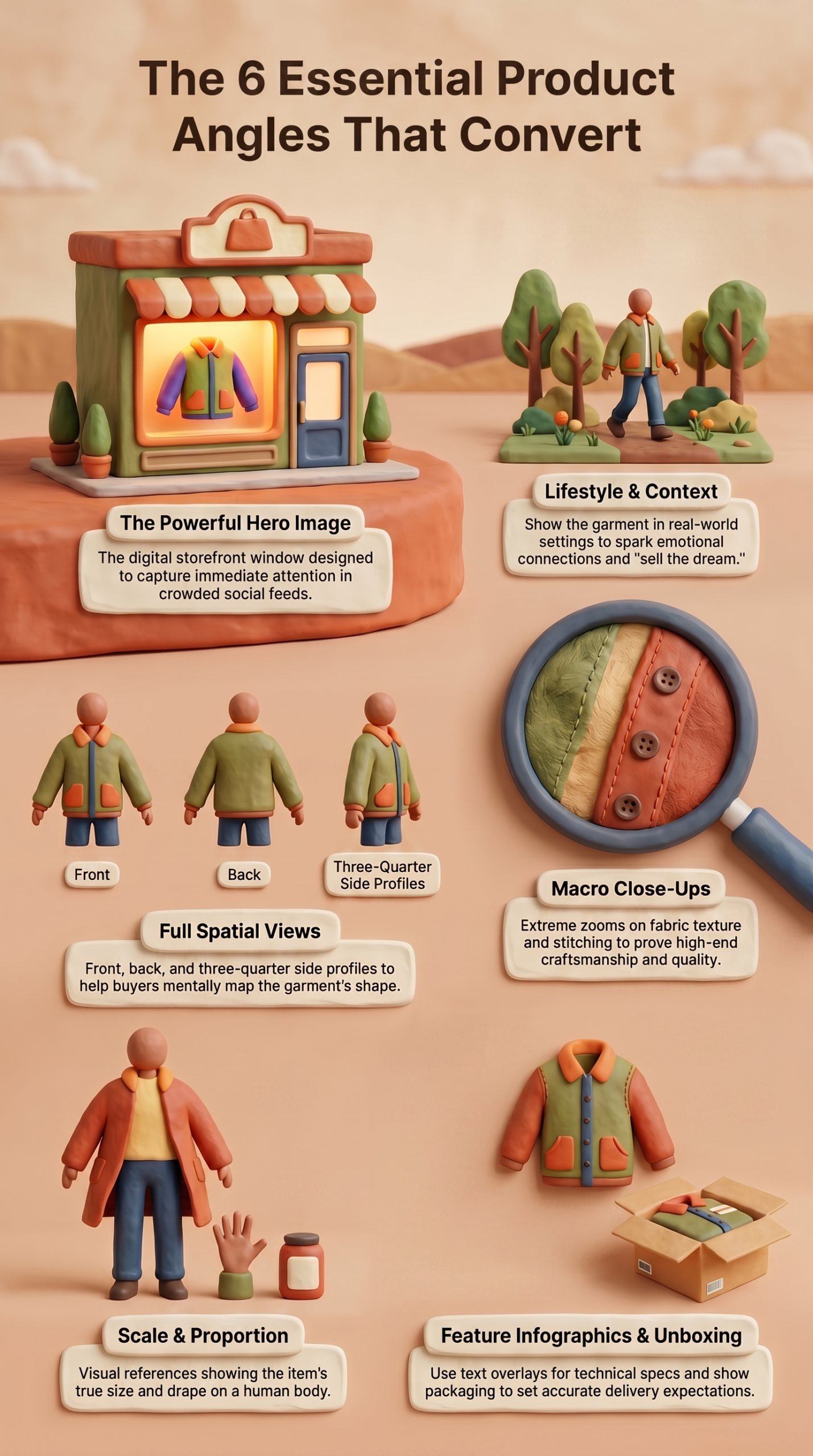
You must show every important angle of the garment. Buyers want to see the front, back, and fine details. Missing angles cause immediate lost sales. When you cover every single perspective, you eliminate the mental roadblocks that stop a customer from trusting your product. Show them everything. Summary: Providing multiple specific angles is the key to online fashion sales.
1. A Powerful Main Image
The hero image is your digital storefront window. It must be striking and incredibly clear. This first impression dictates whether the user clicks or scrolls away. By investing in premium apparel photography for ecommerce, you guarantee that your lead image captures attention instantly in a crowded feed. Make it count. Summary: A strong hero image is vital for capturing initial shopper interest.
2. Different Views of Your Product
Front and back shots are just the beginning. You need side profiles and three-quarter angles to show true fit. Consumers need spatial awareness. When they can mentally map the garment’s shape from every conceivable angle, they feel secure in their sizing choices. Leave no angle hidden. Summary: Comprehensive multi-angle views provide necessary spatial context for shoppers.
3. Lifestyle Images
Lifestyle photos sell the dream and the aesthetic. They show the garment in a real-world setting. This context sparks emotional connections. When a shopper sees a dress worn at a sunny beach or a jacket styled for a city commute, they easily envision themselves living that exact lifestyle. Emotion drives retail. Summary: Lifestyle photography contextualizes products and triggers emotional purchasing decisions.
4. Close-Ups on Details
Fabric texture matters to discerning buyers. Zoom in on stitching, zippers, and buttons. These macro shots prove product quality. Demonstrating the fine craftsmanship of your apparel reassures the buyer that they are investing in a durable, well-made piece of clothing. Prove your quality visually. Summary: Macro photography confirms garment quality and justifies pricing.
Managing Your Visual Assets and Inventory
Proper systems track your photos and your physical stock together. You need a solid apparel inventory count system to manage this effectively. Good software links images directly to SKUs. Without a dedicated apparel inventory count software, your team will waste countless hours trying to match the right photos to the right product pages. Organization saves time. Summary: Integrated inventory and visual asset systems are crucial for operational efficiency.
Tracking your assets requires strict internal rules. Implement a formal apparel inventory count procedure to keep things aligned. Run regular audits. Generating a monthly apparel inventory count report ensures that every active product on your site has the correct corresponding image gallery attached to it. Never guess your numbers. Summary: Formal inventory procedures prevent costly missing-image errors on your storefront.
Navigating Analytics and Bizarre Data Noise
Search trends often show very weird data points. You must ignore irrelevant search metrics when planning your SEO strategy. Focus on buyer intent instead. Sometimes, an apparel product image counter tool shows strange search queries that have nothing to do with buying clothes. Stay focused on your core metrics. Summary: Ignore irrelevant search anomalies to maintain a sharp marketing strategy.
You might see a term like apparel product image country in your logs. People type weird things. Some users search for an apparel product image countdown or even apparel product image count chickens. These are bizarre anomalies. Security bots might randomly trigger a search for apparel product image counterterrorism, while internet culture brings up apparel product image countryballs. Do not panic. DIY fans might mistakenly type apparel product image countersink or apparel product image countertop when looking for home goods. Rural shoppers might look for apparel product image countryside. When you are apparel product image counting for your analytics, simply filter out this noise. Summary: Filtering out bizarre keyword anomalies is essential for accurate data analysis.
Amazon’s Official Image Limits for Apparel Listings
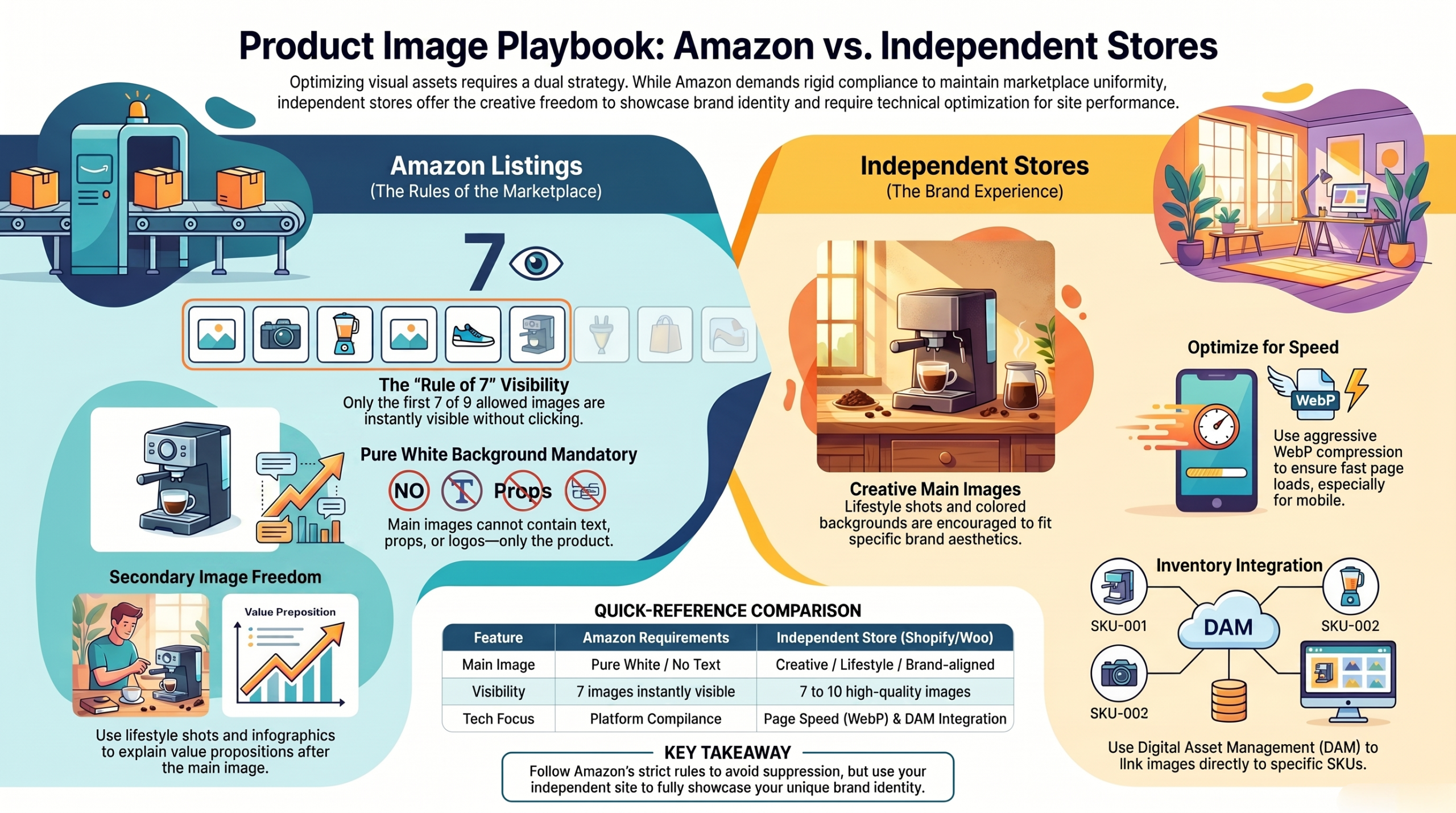
Selling on Amazon requires strict adherence to their rules. You cannot just upload whatever you want. They dictate the exact visual framework. Mastering these platform-specific guidelines is absolutely essential if you want your products to rank highly in their competitive algorithm. Follow their rules perfectly. Summary: Adhering to Amazon’s image guidelines is mandatory for platform success.
Check Seller Central for Image Count Limit
Amazon generally allows up to nine images per listing. Only the first seven show up without clicking. Prioritize your best shots. Because the platform hides the final two images behind a gallery click, you must ensure your most persuasive visuals appear early in the stack. Order matters. Summary: Front-load your strongest images to maximize visibility on Amazon listings.
Main Image vs. Additional Images: What’s Allowed
The main Amazon image must be on a pure white background. It cannot contain text, logos, or props. Keep it incredibly clean. However, your secondary images can and should include infographics, sizing charts, and lifestyle context to fully explain the product’s value proposition. Use the secondary slots creatively. Summary: Amazon requires a clean main image but allows creative freedom in secondary slots.
The Page Speed Playbook: Optimizing Ecommerce Product Images
Large images slow down your website. Slow websites lose customers instantly. You must compress your files. Utilizing modern image formats like WebP allows you to deliver stunning, high-resolution photographs without bogging down your server response times. Speed is vital. Summary: Image compression is necessary to maintain fast page load speeds.
Mobile users are especially vulnerable to slow pages. A heavy page will drain their data and their patience. Optimize for mobile first. When you aggressively optimize your apparel product image count and file sizes, you guarantee a frictionless browsing experience for shoppers on cellular networks. Keep it light. Summary: Mobile-optimized images prevent high bounce rates on cellular devices.
Frequently Asked Questions
How many images are allowed on an Amazon listing?
Amazon allows you to upload up to nine images for a product listing. However, only the first seven images are immediately visible on the live product page without the user clicking to see more. Summary: You can upload nine images to Amazon, but only seven are instantly visible.
What is the ideal apparel product image count for a Shopify store?
The ideal count for an independent ecommerce store is between seven and ten high-quality images. This provides enough variation to show all angles, details, and lifestyle context without overwhelming the user. Summary: Aim for seven to ten photos per product on independent storefronts.
Do I need a pure white background for all my product photos?
No, only your primary hero image generally requires a pure white background, especially on marketplaces like Amazon. Secondary images should include varied backgrounds, lifestyle settings, and infographic elements to explain the product. Summary: Only the main image needs a white background; secondary images should vary.
How does apparel product photography impact return rates?
High-quality photography provides accurate visual information regarding color, fit, and texture. When customers receive exactly what they expected based on the photos, they are far less likely to return the item. Summary: Accurate product photos dramatically lower ecommerce return rates.
What is the best way to manage thousands of product images?
The best approach is using a dedicated apparel inventory count system linked to a Digital Asset Management (DAM) tool. This ensures that every SKU is perfectly matched with its corresponding image files, preventing missing visuals. Summary: Use integrated asset management software to organize large image catalogs.